 +91 73584 98220
 info@rankmedaddy.com
 Rajasthan, India

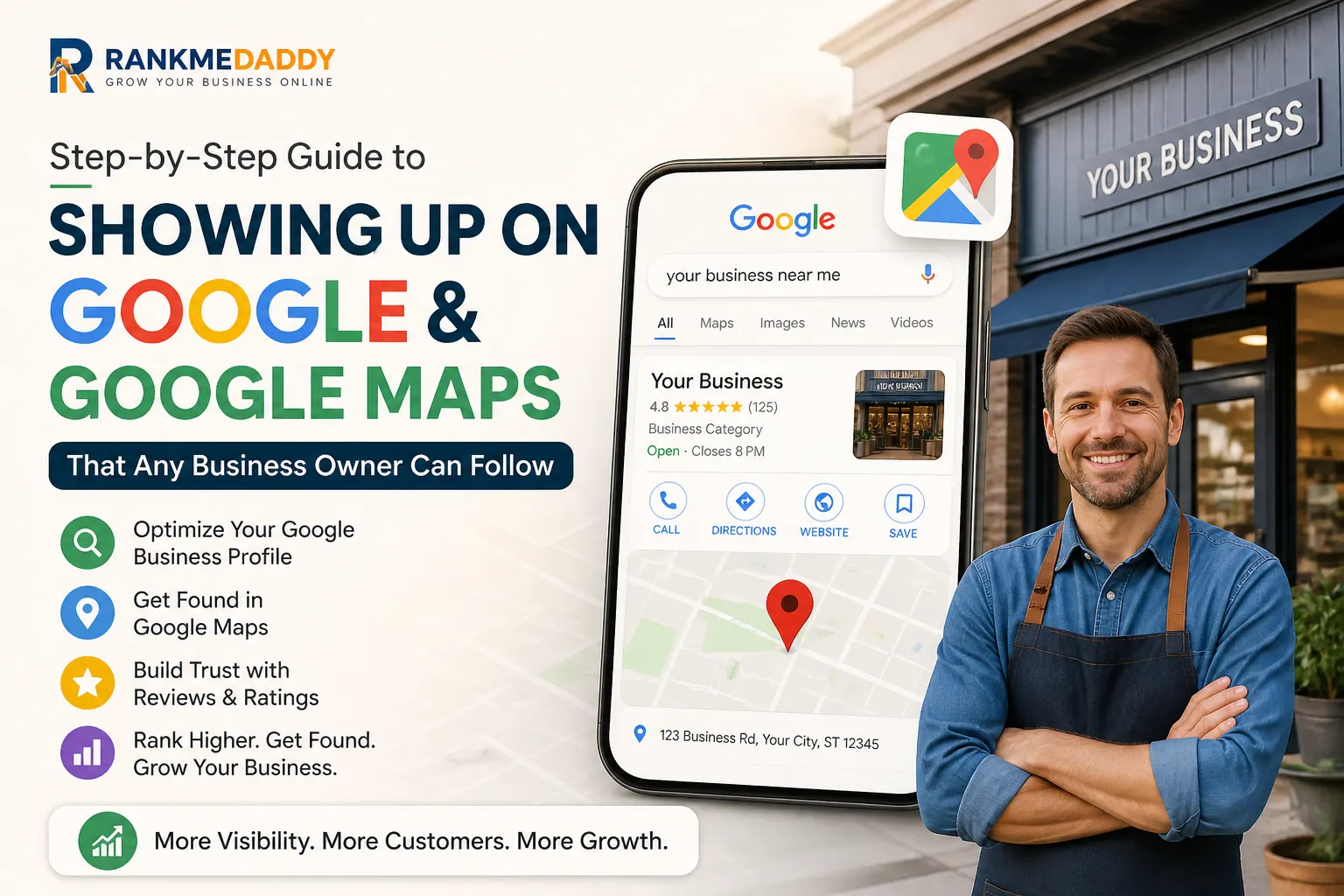
Introduction: Why Your Business Isn’t Showing Up on Google (And How to Fix It)
Picture this. You’ve just opened your dream business a bakery in Birmingham, a plumbing service in Plymouth, or a yoga studio in York. You tell your mates, you put up a sign in the window, and then you wait for the customers to come rolling in.
But your phone stays quiet.
Meanwhile, your competitor down the road who you know isn’t as good as you is fully booked. What’s their secret? Chances are, it’s embarrassingly simple: they show up on Google and Google Maps. You don’t.
Here’s the hard truth: in 2025, 97% of UK consumers use the internet to find local businesses, and the vast majority of those searches begin on Google. If you’re not visible on Google Search and Google Maps, you are effectively invisible to the bulk of your potential customers no matter how brilliant your product or service is.
The good news? Getting your business to show up on Google and Google Maps is not as complicated as most people think. You don’t need to be a tech wizard. You don’t need to spend thousands on a digital agency. What you do need is the right step-by-step process and that’s exactly what this guide from RankMeDaddy is going to give you.
We’re going to walk you through everything, from setting up your Google Business Profile to optimising it for local rankings, building citations, getting reviews, and finally dominating the local pack in your area of the UK.
Let’s get started.
What Does “Showing Up on Google” Actually Mean?
Before we dive into the how, let’s clarify the what. When people talk about showing up on Google, they usually mean one of three things:
1. The Google Local Pack (The Map Results)
When you search for something like “plumber near me” or “best fish and chips in Manchester,” you’ll often see a map at the top of the results with three business listings beneath it. This is called the Google Local Pack (sometimes called the Map Pack or the 3-Pack). It is prime real estate appearing here can transform your business overnight.
2. Google Maps
When someone opens the Google Maps app on their phone and searches for a type of business near them, your listing can appear there too. With more than 1 billion people using Google Maps every month, this is arguably where local business is won or lost.
3. Organic Search Results
These are the traditional “blue link” results that appear below the map pack. Ranking here takes longer and usually requires a website with good SEO, but it significantly boosts your overall visibility.
This guide focuses primarily on the Local Pack and Google Maps, because these are the fastest wins for most UK business owners and they’re free.
Step 1: Set Up (Or Claim) Your Google Business Profile
The single most important thing you can do to show up on Google Maps is to create and verify a Google Business Profile(formerly known as Google My Business).
Think of your Google Business Profile as your free storefront on Google. It tells Google and your potential customers who you are, where you are, what you do, when you’re open, and how to contact you.
How to Create Your Google Business Profile in the UK?
- Go to business.google.com and sign in with your Google account. If you don’t have one, create a free Gmail account.
- Click “Manage now” and then “Add your business to Google.”
- Enter your business name. Type it exactly as it appears on your signage, your Companies House registration (if applicable), and your other marketing materials. Consistency matters enormously for local SEO.
- Choose your business category. This is one of the most important decisions you’ll make. Google uses your primary category to determine when your listing is relevant to a search. Be as specific as possible don’t just choose “Restaurant” if you can choose “Indian Restaurant” or “Pizza Takeaway.”
- Add your location. If you have a physical location customers can visit (a shop, clinic, office), enter your full UK address. If you’re a service-area business (like a plumber or mobile dog groomer), you can hide your address and simply specify the areas you serve.
- Add your service area (if applicable). You can list up to 20 service areas typically these should be towns, cities, or postcodes within a reasonable distance of where you operate.
- Enter your phone number and website URL. Use a local UK phone number (not just a mobile) where possible, as this builds trust with both Google and your customers.
- Choose your verification method. More on this in the next step.
What If Your Business Is Already Listed?
Sometimes Google creates listings automatically from publicly available data. Search for your business on Google Maps if it already appears, you’ll see an option to “Claim this business.” Click it and follow the same verification process.
Step 2: Verify Your Business (This Step Is Non-Negotiable)
Verification is what tells Google that you are the legitimate owner of this business at this location. An unverified Google Business Profile will not rank well. In many cases, it won’t appear in local searches at all.
Google offers several verification methods in the UK:
- Postcard by post: Google sends a physical postcard to your business address with a 5-digit code. This typically takes 5–14 days within the UK. Enter the code in your profile dashboard when it arrives.
- Phone verification: Some businesses qualify to verify via an automated call or text message. If this option is available to you, take it it’s much faster.
- Email verification: A smaller number of businesses can verify via email. Again, if offered, use it.
- Video verification: Google has been rolling out video verification as a new method. You’ll be asked to record a short video showing your business location, signage, and equipment.
- Instant verification: If your website is already verified in Google Search Console and you sign in with the same Google account, instant verification may be available.
Top Tip from RankMeDaddy:
If you’re waiting for your postcard to arrive, use that time to optimise every other part of your profile. That way, the moment you’re verified, you’re ready to rank.
Step 3: Completely Fill Out Your Google Business Profile
Here’s where most UK business owners drop the ball. They create a profile, do the bare minimum, and then wonder why they’re not ranking. Google rewards businesses that provide complete, accurate, and detailed information. The more you give Google, the more Google can give you.
Business Name
Use your real business name the one on your signage or your Companies House registration. Do NOT stuff keywords into your business name (e.g., “Dave’s Plumbing | Best Plumber Manchester”). This violates Google’s guidelines and can get your listing suspended.
Categories
You’ve already chosen your primary category, but did you know you can add up to 9 additional categories? Use them wisely. For example, a beauty salon might choose:
- Primary: Beauty Salon
- Additional: Hair Salon, Nail Salon, Eyebrow Bar, Waxing Hair Removal Service
More relevant categories = more search queries your listing can appear for.
Business Description
You get 750 characters to describe your business. Make every word count. Include your primary keyword naturally, mention your location, and highlight what makes you different from the competition. Write for people first, but keep Google in mind. Here’s a simple formula:
“[Business name] is a [type of business] based in [location], offering [key services] to [target customers]. [Unique selling point]. [Call to action or how to get in touch].”
Business Hours
Set your accurate opening hours, including special hours for bank holidays (which are common in the UK don’t forget Easter, Christmas, and August Bank Holiday). Incorrect hours are one of the most common reasons for negative reviews.
Services and Products
Google allows you to list your specific services and products, each with a name, description, and price. Fill these in. They help Google match your listing to more specific searches. A solicitor in Leeds, for example, could list services like “Conveyancing,” “Wills and Probate,” “Employment Law,” and “Personal Injury Claims.”
Attributes
Attributes are additional characteristics about your business things like “Free Wi-Fi,” “Wheelchair Accessible,” “Family Friendly,” “Accepts Credit Cards,” “Outdoor Seating,” or “Women-led Business.” These appear in your listing and can influence customer decisions. Tick every attribute that genuinely applies to your business.
Photos and Videos
Businesses with photos receive 42% more requests for directions and 35% more click-throughs to their websites than those without. Upload high-quality images of:
- Your business exterior (helps people recognise you)
- Your business interior
- Your team at work
- Your products or finished work
- Your logo and a cover photo
Aim for a minimum of 10–15 photos to start. Add new photos regularly Google notices freshness.
Step 4: Nail Your NAP Consistency Across the Web
NAP stands for Name, Address, and Phone Number. It’s one of the foundational pillars of local SEO, and getting it wrong is surprisingly easy.
Here’s why it matters: Google cross-references your business information across hundreds of sources your website, directories, social media profiles, and review sites. When your NAP is consistent everywhere, Google gains confidencethat your business is legitimate and where it says it is. Inconsistencies confuse Google and can suppress your ranking.
Common NAP Mistakes to Avoid in the UK
- Using “Ltd” in some places and “Limited” in others
- Abbreviating “Street” to “St” inconsistently
- Having an old phone number still listed on directories
- Using a different address format on different sites (e.g., leaving out the county or postcode)
- Your trading name differing from your Companies House registered name fine, but be consistent
What Counts as Your Address?
In the UK, a complete address for a business should typically include:
- Building name or number
- Street name
- Town or city
- County (where applicable)
- Postcode
Make sure all of these are identical across every online listing.
Step 5: Build Your UK Business Citations
A citation is any online mention of your business’s name, address, and phone number with or without a link. Citations from authoritative UK directories are like votes of confidence that tell Google your business is real and trustworthy.
The Most Important UK Citation Sources
Start with these, in this order:
- Yell.com The UK’s leading business directory, formerly Yellow Pages. A listing here carries significant weight.
- Bing Places for Business Don’t ignore Bing. It powers searches on Microsoft Edge (used on millions of UK computers) and Apple Maps.
- Apple Maps Connect Essential for reaching iPhone users, who make up over 50% of the UK smartphone market.
- Thomson Local A well-established UK directory.
- Scoot Another strong UK directory.
- FreeIndex UK’s largest free business directory.
- Hotfrog UK Popular for service businesses.
- Cylex UK Wide reach across local search.
- Bark.com Especially useful for tradespeople and service providers.
- Checkatrade Trusted by UK homeowners for finding vetted tradespeople.
- Rated People Another excellent platform for trades and home services.
- TripAdvisor Critical for restaurants, hotels, and tourism-related businesses.
- Facebook Business Page Treated as a citation by Google.
Industry-Specific UK Directories
Depending on your sector, you should also target niche directories:
- Legal: Solicitors Regulation Authority (SRA) register, Law Society directory
- Healthcare: NHS website, CQC register, Doctify
- Financial Services: FCA register
- Tradespeople: Gas Safe Register, NICEIC, TrustMark
- Hospitality: SquareMeal, OpenTable, Bookatable
The rule of thumb: if a competitor is listed there, you should be too.
Step 6: Optimise Your Website for Local SEO
Your Google Business Profile and your website work together. A well-optimised website reinforces your local signals and can push you higher in both the map pack and organic results.
Create a Dedicated Location Page
If you serve customers in a specific area, you need a dedicated page on your website for that location. This page should include:
- Your city or town name in the H1 heading and page title
- Your full NAP information
- An embedded Google Map showing your location
- Local content mention local landmarks, neighbourhoods, or anything specific to your area
- Testimonials from local customers (with their town if possible)
- Your Google Business Profile link
If you serve multiple towns or cities across the UK, create separate location pages for each. A pest control company covering the East Midlands might have individual pages for Nottingham, Leicester, Derby, Lincoln, and Northampton.
Add Schema Markup (Local Business Schema)
Schema markup is code you add to your website that tells Google exactly what type of business you are and provides structured data about your location, hours, and contact information. It’s one of those behind-the-scenes factors that can give you an edge over competitors.
You can use Google’s free Structured Data Markup Helper to generate the code, or ask your web developer to implement it.
Key schema types to implement:
- LocalBusiness (or a more specific subtype like Plumber, Restaurant, AccountingService)
- PostalAddress
- OpeningHoursSpecification
- GeoCoordinates
On-Page SEO Basics for Local Businesses
Make sure your website includes:
- Title tags with your keyword and location: e.g., “Emergency Plumber in Leeds | Available 24/7 | ABC Plumbing”
- Meta descriptions that mention your area and include a clear call to action
- H1, H2, H3 headings that include your service and location naturally
- Your NAP in the footer of every page
- A mobile-responsive design Google uses mobile-first indexing, and over 60% of UK local searches happen on mobile devices
- Fast page loading speeds aim for under 3 seconds. Use Google PageSpeed Insights to check.
- HTTPS (SSL certificate) if your site starts with “http://” rather than “https://”, this is an urgent fix
Step 7: Get Google Reviews (And Respond to Every Single One)
If you do nothing else from this guide, do this: get more Google reviews.
Reviews are one of the strongest ranking signals for local SEO. They also directly influence whether people choose your business once they find it. According to research, 93% of UK consumers say online reviews affect their purchase decisions, and the average consumer reads 10 reviews before trusting a local business.
How to Get More Google Reviews?
Make it effortless for customers.
The best way to get reviews is to send people directly to your review link. Here’s how to find yours:
- Go to your Google Business Profile dashboard
- Click “Get more reviews”
- Google will give you a short link you can share
Send this link to every satisfied customer via:
- Text message or WhatsApp the highest conversion method
- Email follow-up after a job or purchase
- A QR code displayed on receipts, business cards, or in-store signage
- Your email signature
Ask at the right moment.
The best time to ask for a review is immediately after a positive interaction when a customer compliments you, when a project is completed successfully, or when a product is delivered.
Train your team.
If you have staff, teach them to mention reviews naturally: “If you’re happy with our service today, we’d really appreciate a Google review it only takes a minute and it means the world to a small business like ours.”
What to Do About Negative Reviews?
Don’t panic. Negative reviews happen to everyone, and how you handle them matters enormously.
- Respond promptly and professionally. Never get defensive or confrontational.
- Acknowledge the issue without necessarily admitting liability.
- Offer to resolve it offline: “Please contact us directly at [phone/email] so we can make this right.”
- A well-handled negative review can actually build trust it shows you’re a real business that cares about customers.
Never pay for fake reviews.
Google’s systems are increasingly sophisticated at detecting them. A fake review penalty can result in your listing being suspended entirely. It’s not worth the risk.
Step 8: Post Regularly to Your Google Business Profile
Most business owners don’t know this, but your Google Business Profile is essentially a social media platform one where being active directly improves your local rankings.
Google Posts allow you to share updates directly on your listing, and they appear prominently in your Business Profile on both Search and Maps. Use them to share:
- Offers and promotions (e.g., “10% off all treatments this June”)
- Events (workshops, open days, seasonal events)
- Product updates (new arrivals, menu changes, new services)
- News and updates (new team members, awards, accreditations)
- COVID/temporary closure updates (if applicable)
Best Practices for Google Posts
- Post at least once a week to signal to Google that your listing is active
- Include a high-quality image with every post
- Write 100–300 words of useful content
- Include a call-to-action button (Book, Call, Learn More, Sign Up)
- Use your target keywords naturally in the post text
Think of it this way: every Google Post is another piece of content telling Google exactly what you do and where you do it.
Step 9: Use the Q&A Section to Your Advantage
The Questions & Answers section of your Google Business Profile is an underused goldmine. Anyone can ask questions and anyone can answer them. That includes you.
Here’s the smart strategy: seed your own Q&A section with frequently asked questions and answer them yourself.Think about the questions you get most often from customers, and pre-empt them:
- “Do you offer free quotes?”
- “Is there parking available?”
- “Do you accept card payments?”
- “Are you available on weekends?”
- “Do you cover [specific town]?”
Not only does this make your listing more useful, but it also incorporates more keywords naturally, which can help your listing appear for a broader range of search queries.
Monitor your Q&A section regularly.
Anyone can answer questions on your listing even competitors or troublemakers. Set up notifications and respond to all questions promptly with accurate, helpful information.
Step 10: Build Local Links to Your Website
While citations and Google Business Profile optimisation are the foundation of local SEO, local backlinks are the fuel that can take you from page two to page one of Google.
A backlink is when another website links to yours. When that website is locally relevant based in your town or covering your region it sends powerful local signals to Google.
How to Get Local UK Backlinks?
Local press coverage:
Reach out to local newspapers, news websites, and community blogs. A story about your business, a charity event you’re supporting, or an expert opinion piece can earn you a valuable link. In the UK, every local area has its own news site (Yorkshire Evening Post, Manchester Evening News, The Scotsman, South Wales Echo, etc.) get to know the journalists who cover your patch.
Sponsorships:
Sponsor a local sports team, charity event, school fair, or community group. Most of them will put your logo and a link on their website. These are genuine, locally relevant links that Google values.
Chamber of Commerce:
Join your local Chamber of Commerce or Federation of Small Businesses (FSB). Both offer member directories that include a link to your website these are high-quality citations and often provide backlinks too.
Business Associations:
you’re a member of the Guild of Master Craftsmen, the Chartered Institute of Marketing, the British Dental Association, or your local BNI chapter each membership directory listing is both a citation and potentially a backlink.
Partnerships and suppliers:
Think about other businesses you work with. A local supplier, a complementary business, or a strategic partner might be happy to mention you on their website and vice versa.
Guest blogging on local sites:
Offer to write a helpful article for a local blog, community website, or industry publication. In exchange, you’ll typically get a link back to your website.
Step 11: Track Your Local SEO Performance
You can’t improve what you don’t measure. Google provides excellent free tools to track how your local SEO is performing.
Google Business Profile Insights
Inside your Google Business Profile dashboard, you have access to Insights data that shows you:
- How many people viewed your profile on Search and Maps
- How they found you (direct searches vs. discovery searches)
- What actions they took (website visits, phone calls, direction requests)
- How your photos compare to similar businesses
- Performance of your Google Posts
Check these metrics at least monthly. If a particular type of post gets high engagement, do more of it. If direction requests spike after you add new photos, add more photos.
Google Search Console
Google Search Console (free at search.google.com/search-console) shows you which search queries are driving traffic to your website. Look for local queries these tell you which keywords you’re ranking for and where you can improve.
Google Analytics 4
Set up Google Analytics 4 (GA4) on your website to understand where your web traffic is coming from, how people behave on your site, and which pages are converting visitors into enquiries or sales.
BrightLocal or Whitespark (Paid Tools)
If you’re serious about local SEO or if RankMeDaddy is managing your campaign tools like BrightLocal or Whitespark allow you to track your local rankings for specific keywords in specific UK postcodes, audit your citations, and monitor your reviews across platforms.
Step 12: Fix the Common Mistakes That Are Killing Your Local Rankings
Let’s address the things we see most often when UK businesses come to RankMeDaddy for help. These are the silent killers of local SEO visibility.
Duplicate Listings
Google sometimes creates multiple listings for the same business. This splits your ranking power and confuses customers. Search for your business on Google Maps and look for duplicates. If you find any, request their removal through the “Suggest an edit” function or report them via Google Business Profile Support.
Keyword Stuffing in Your Business Name
We’ve mentioned this before, but it’s worth repeating because it’s incredibly common. Businesses add keywords like “Emergency” or “Cheap” or “Best” to their Google Business Profile name. This violates Google’s Terms of Service and can result in suspension. Your listing name should match your real-world business name nothing more.
Ignoring Your Profile After Setup
Many business owners set up a Google Business Profile and then never touch it again. Google monitors activity on your listing. A profile that hasn’t been updated in months sends a weak signal. Keep it fresh with new photos, posts, and updated information.
Using a Virtual Office Address
If you’re using a virtual office or PO Box as your business address, be very careful. Google requires that your address be a genuine, staffed location. Using a virtual office has led to thousands of UK business listings being suspended.
Mismatched Categories
Choosing the wrong primary category is a fast way to appear for the wrong searches and miss out on the right ones. Review your categories every six months and compare them with top-ranking competitors in your area.
A Slow or Broken Website
Your website is part of the ranking equation. If it loads slowly, isn’t mobile-friendly, or has broken links and error pages, Google will rank it lower and customers will leave before they even read a word. Use Google’s PageSpeed Insights and Mobile-Friendly Test to identify and fix issues.
The RankMeDaddy Local SEO Checklist: Your Quick-Reference Summary
Here’s a condensed checklist you can print off and work through:
Google Business Profile
- Create and verify your Google Business Profile
- Use your exact business name (no keyword stuffing)
- Choose the most specific primary category
- Add up to 9 secondary categories
- Write a keyword-rich, informative business description
- Add accurate opening hours (including bank holidays)
- List all services and products with descriptions
- Tick all relevant attributes
- Upload 10+ high-quality photos
- Add your logo and a professional cover photo
- Get your Google Review link and share it actively
- Respond to every review (positive and negative)
- Post at least once per week
- Seed and monitor your Q&A section
NAP & Citations
- Ensure your NAP is 100% consistent everywhere online
- List on Yell, Bing Places, Apple Maps, Thomson Local, and Scoot
- List on at least 5–10 industry-specific or niche UK directories
- Audit existing citations for errors and inconsistencies
Website
- Create dedicated location pages for each area you serve
- Include NAP in the footer of every page
- Implement LocalBusiness schema markup
- Optimise title tags, meta descriptions, and headings for local keywords
- Ensure site is mobile-responsive and loads in under 3 seconds
- Set up Google Search Console and Google Analytics 4
Links
- Join your local Chamber of Commerce
- Seek local press coverage
- Sponsor a local event, team, or charity
- Explore reciprocal partnerships with complementary businesses
Tracking
- Review Google Business Profile Insights monthly
- Track local keyword rankings
- Monitor and respond to reviews on all platforms
How Long Does It Take to Show Up on Google and Google Maps?
This is the question every business owner asks and the honest answer is: it depends.
For a brand new business that has done everything in this guide, you can typically expect:
- Google Business Profile to appear on Maps: 1–2 weeks after verification
- Initial local pack visibility for low-competition keywords: 4–8 weeks
- Competitive local pack rankings: 3–6 months with consistent effort
- Organic search rankings: 6–12 months with a well-optimised website and active link building
These timelines are faster if:
- Your geographic area has low competition
- You accumulate reviews quickly
- You build citations and links consistently
- You publish fresh content and post regularly
And slower if:
- You’re in a highly competitive sector (e.g., personal injury solicitors, estate agents in London)
- You have NAP inconsistencies or duplicate listings
- Your website is slow or poorly optimised
The key takeaway? Start today. Every day you’re not on Google Maps is a day your competitors are taking customers that could have been yours.
Do You Need a Website to Show Up on Google Maps?
Short answer: no, but it helps enormously.
You can create a Google Business Profile and rank in the local pack without a website. Many sole traders and small local businesses do exactly this, especially in the early days.
However, businesses with a well-optimised website consistently outrank those without, especially in competitive markets. Your website provides Google with far more data to evaluate the relevance and trustworthiness of your business.
If you don’t have a website, consider starting with a simple one-page site that includes your business name, services, service area, NAP, a brief description, and a contact form. Even this basic setup gives you a significant advantage over businesses with no web presence at all.
Local SEO for Different Types of UK Businesses
Bricks-and-Mortar Shops and Restaurants
For businesses with physical premises, your primary focus should be:
- Keeping your address 100% accurate
- Getting photos that showcase the interior and exterior
- Encouraging in-person customers to leave reviews before they leave
- Using Google Posts to promote daily specials, events, and offers
Service-Area Businesses (Plumbers, Electricians, Cleaners, etc.)
For businesses that travel to customers (without a customer-facing premises), the strategy shifts slightly:
- Hide your home address for privacy and list your service areas instead
- Target your listings for the largest towns within your service area
- Use your Google Posts to highlight the specific towns you cover
- Build citations in each town’s local directories where possible
Professional Services (Solicitors, Accountants, Consultants)
Trust signals are paramount in professional services:
- Ensure your profile links to regulatory body profiles (SRA, ICAEW, FCA)
- Reviews that mention specific outcomes carry particular weight
- Publish regular thought leadership content on your website
- Make sure your website has trust signals: professional headshots, accreditation logos, testimonials
Healthcare and Wellbeing (Dentists, Physiotherapists, Therapists)
Healthcare providers must navigate some additional Google guidelines:
- Do not include specific health claims in your business description that Google might flag
- Encourage patient reviews, but ensure they don’t contain sensitive health information
- List on NHS.uk, Doctify, and other healthcare-specific directories
- Keep your appointment availability updated using booking integrations
What Google Looks for When Ranking Local Businesses?
Google’s local search ranking algorithm considers three main factors:
1. Relevance
Does your business match what the person is searching for? This is where your categories, business description, services list, website content, and keywords all come into play.
2. Distance
How close is your business to the person searching, or to the location mentioned in the search? While you can’t move your business to rank closer, you can increase your relevance signals to overcome a slight distance disadvantage.
3. Prominence
How well-known and well-regarded is your business? This is determined by the number and quality of your reviews, your backlinks, your citation consistency, and your overall online presence.
The businesses that appear in the Google Local Pack consistently score well across all three of these factors. That’s why a holistic approach to local SEO not just setting up a profile and hoping for the best is the only reliable path to sustained local visibility.
Is DIY Local SEO Enough, or Do You Need Professional Help?
For many UK small businesses, especially in lower-competition markets, following this guide faithfully will be enough to achieve strong local visibility without spending a penny on professional SEO services.
if you find yourself in any of the following situations, it’s worth speaking to a specialist like the team at RankMeDaddy:
- You’ve done everything in this guide and still aren’t ranking
- You’re in a highly competitive sector where rivals have been investing in SEO for years
- You don’t have time to do this consistently alongside running your business
- Your Google Business Profile has been suspended and you don’t know why
- You need to manage multiple locations across the UK
Professional local SEO isn’t just about doing more of the same it’s about strategy, competitor analysis, technical expertise, and knowing exactly which levers to pull to move the needle in competitive markets.
Final Thoughts: Your Google Visibility Starts Today
We’ve covered a lot of ground in this guide, and if you’re feeling slightly overwhelmed that’s completely normal. The good news is that you don’t have to do everything at once.
Here’s what we recommend:
Week 1:
Set up or claim and verify your Google Business Profile. Make sure every section is complete.
Week 2:
Audit your NAP consistency and build your first 10 citations on the major UK directories.
Week 3:
Gather your first batch of Google reviews by reaching out to past customers personally.
Week 4:
Publish your first Google Post, add more photos, and ensure your website has a proper local SEO foundation.
Month 2 onwards:
Continue building citations, generating reviews, posting updates, and earning local backlinks.
Consistency beats intensity every time in local SEO. A business that does a little bit every week will always outperform one that does a lot once and then forgets about it.
At RankMeDaddy, we’ve helped dozens of UK businesses just like yours go from invisible to unmissable on Google and Google Maps. you’re a sole trader in Sheffield, a family-run restaurant in Edinburgh, or a growing multi-location business across England and Wales the principles in this guide are your roadmap.
The best time to start was yesterday. The second best time is right now.
Frequently Asked Questions
Q: Is Google Business Profile free?
A: Yes, completely free. Google does not charge businesses to create, verify, or maintain a Google Business Profile listing.
Q: How many reviews do I need to rank on Google Maps?
A: There’s no magic number, but consistently having more reviews than your competitors and with a higher average star rating is a strong ranking signal. Aim for a minimum of 10 genuine reviews to start building credibility.
Q: Can I rank on Google Maps in a city I don’t have an office in?
A: Yes, if you’re a service-area business. You can set up service areas around any UK city or postcode. However, ranking in very competitive city centres without a physical address in that city is harder and requires strong website and citation signals to compensate.
Q: What if someone else has claimed my business listing?
A: This happens occasionally sometimes by previous owners, sometimes by well-meaning staff. Go to your Business Profile, click “Own this business?”, and follow Google’s process to request ownership. Google will contact the current owner, and if they don’t respond within 7 days, ownership can be transferred to you.
Q: How often should I update my Google Business Profile?
A: As a minimum, post an update at least once a week, add new photos at least once a month, and review all your information for accuracy every quarter.
Q: Does social media affect my Google Maps ranking?
A: Indirectly. Social signals themselves aren’t a direct Google ranking factor, but active social media profiles especially your Facebook Business Page serve as additional citations and can drive traffic and reviews, both of which do impact local rankings.
Ready to dominate local search in your area? Contact the RankMeDaddy team today for a free local SEO audit and find out exactly what it will take to get your business to the top of Google and Google Maps.
About RankMeDaddy
RankMeDaddy is a specialist UK local SEO agency helping businesses of all sizes get found on Google, Google Maps, and beyond. From one-man trades to multi-location businesses, we build visibility that converts into real, measurable growth.
