 +91 73584 98220
 info@rankmedaddy.com
 Rajasthan, India

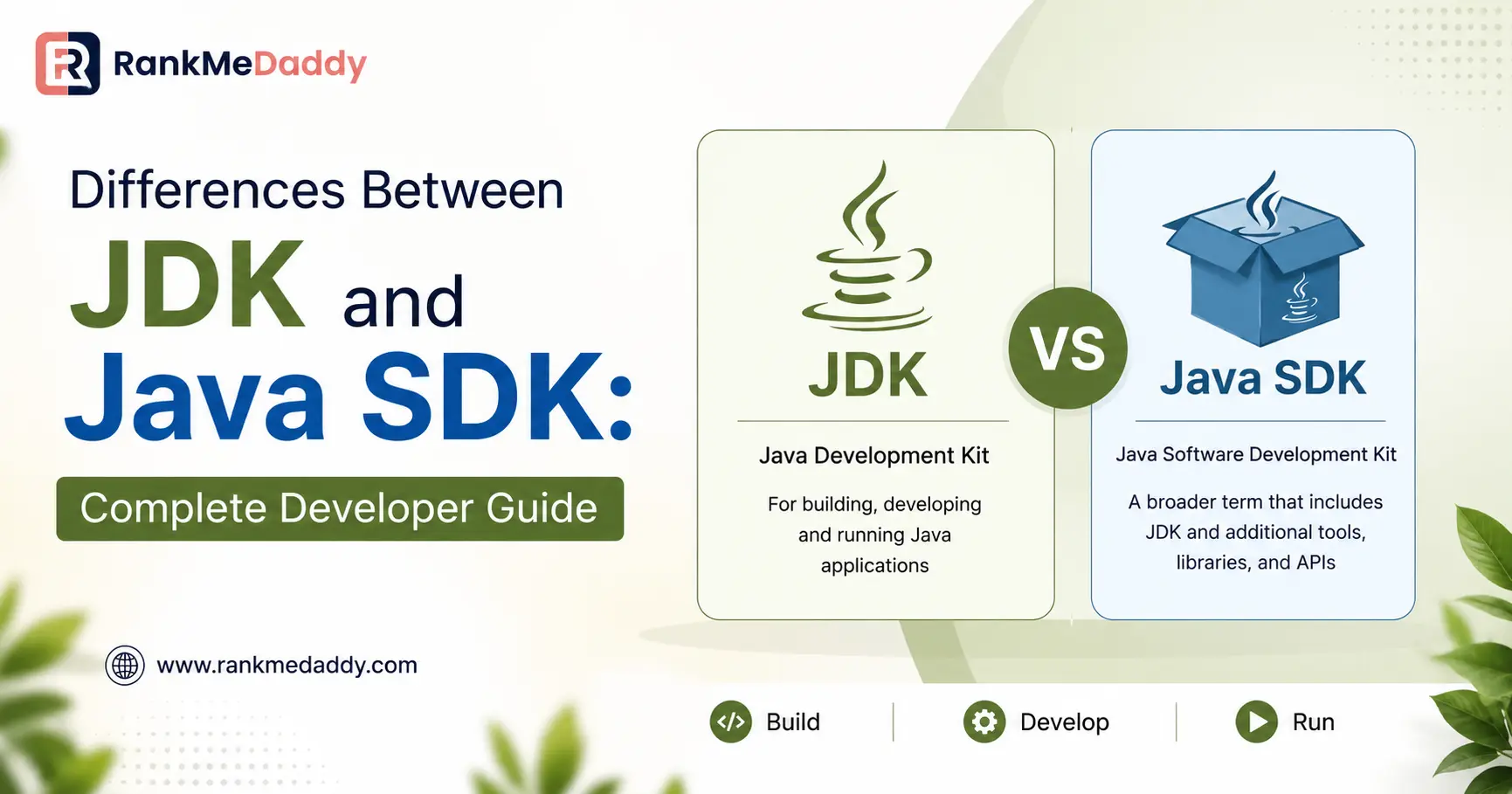
TABLE OF CONTENTS
- What Is an SDK? The Broad Definition
- What Is the JDK? Java’s Official SDK
- JDK vs Java SDK: The Key Differences Explained
- Inside the JDK: Every Component Explained
- The Holy Trinity: JDK, JRE, and JVM
- Why the Naming Changed: A Brief History
- JDK Distributions in 2025: Which One Should You Use?
- Use Cases: When to Use JDK vs Other SDKs
- Setting Up the JDK: Step-by-Step for Singapore Developers
- Java Development in Singapore: Why It Matters
- Frequently Asked Questions
- Conclusion
Differences Between JDK and Java SDK: Complete Developer Guide
Stop second-guessing the Java toolchain. This definitive guide breaks down every distinction between the JDK and the broader Java SDK with real component diagrams, use-case comparisons, and 2025 distribution recommendations.
QUICK ANSWER
JDK and Java SDK refer to essentially the same thing. The Java Development Kit (JDK) is Oracle’s specific implementation of a Software Development Kit (SDK) purpose-built for the Java ecosystem. “SDK” is a generic, language-agnostic term — “JDK” is its Java-specific identity. Every JDK is an SDK, but not every SDK is a JDK. Read on for the full technical breakdown, component comparisons, and expert tips for Singapore developers.
What Is an SDK? The Broad Definition
Before diving into the differences between JDK and Java SDK, it’s critical to understand what an SDK actually is in isolation because much of the confusion stems from treating “SDK” as a Java-specific term.
A Software Development Kit (SDK) is a bundled collection of tools, libraries, APIs, documentation, sample code, and supporting utilities that developers use to build applications targeting a specific platform, operating system, service, or programming language. Think of an SDK as a pre-packaged workshop everything you need to build a particular type of software, assembled in one place.
- Android SDK : Google’s toolkit for building native Android applications, including emulators, build tools, and APIs.
- iOS SDK (Xcode) : Apple’s framework bundle for building iPhone and iPad applications using Swift or Objective-C.
- .NET SDK : Microsoft’s toolkit for building Windows, web, cloud, and cross-platform apps using C# and F#.
- AWS SDK : Amazon’s library collection for interacting with cloud services, available in multiple languages including Java.
SDKs typically contain:
- A compiler or interpreter for transforming source code
- Libraries and APIs providing pre-built functionality
- Debugging and profiling tools
- Documentation and reference material
- Sample code and project templates
- Build utilities and package managers
- Emulators or simulators (common in mobile SDKs)
KEY INSIGHT
SDKs are platform-specific by nature. You use the Android SDK to build Android apps, the iOS SDK for iPhone apps, and the JDK to build Java applications. An SDK defines the boundaries and capabilities of what you can create for that particular ecosystem.
This platform-specificity is the defining characteristic that sets different SDKs apart and it’s the very reason why the JDK is simply Java’s named version of an SDK.
What Is the JDK? Java’s Official SDK
The Java Development Kit (JDK) is the official, complete software development kit for the Java programming language. Originally created by Sun Microsystems and now maintained by Oracle (along with the open-source OpenJDK project), the JDK provides every tool a developer needs to write, compile, test, debug, and run Java applications.
When you download the JDK, you receive a self-contained environment covering the entire Java development lifecycle:
- Write Java source code in .java files
- Compile code into platform-neutral bytecode (.class files) using javac
- Package applications into .jar or .war archives
- Debug using the Java Debugger (jdb)
- Document code automatically using javadoc
- Execute applications via the bundled JRE and JVM
“The JDK serves as the complete manufacturing plant for Java software from raw source code to a deployable, executable application.” Java Platform Standard Edition Documentation, Oracle
Crucially, the JDK contains the Java Runtime Environment (JRE), which itself contains the Java Virtual Machine (JVM). This nested architecture means that installing the JDK gives you everything development tools plus a complete runtime. You don’t need to separately install the JRE if you have the JDK.
JDK vs Java SDK: The Key Differences Explained
This is the central question of this guide, so let’s address it with clarity. When someone asks about the difference between JDK and Java SDK, the honest answer is: in most practical contexts, there is no difference. However, understanding why they are conceptually distinct is valuable for any serious Java developer.
| Dimension | SDK (General) | JDK (Java SDK) |
| Full Name | Software Development Kit | Java Development Kit |
| Scope | Generic — applies to any language/platform | Specific Java language and ecosystem only |
| Language Support | Can span multiple languages (e.g., .NET) | Java only (+ JVM languages like Kotlin, Scala) |
| Contains Compiler | Yes (platform-dependent) | Yes — javac |
| Contains Runtime | Sometimes (not always) | Yes — JRE + JVM bundled |
| Contains Debugger | Often (platform-dependent) | Yes — jdb |
| Documentation Generator | Optional | Yes — javadoc |
| Platform Emulator | Often (e.g., Android Emulator) | No — JVM handles cross-platform instead |
| Sample Code | Usually bundled | Partial (via documentation) |
| Open-Source Option | Varies by vendor | Yes — OpenJDK |
| Primary Maintainer | Varies (Google, Apple, Microsoft…) | Oracle + OpenJDK community |
| Platform Independence | Depends on SDK type | Yes — Write Once, Run Anywhere via JVM |
| Enterprise Editions | Varies | Yes — SE, EE, ME variants |
The Taxonomy Relationship
Think of it this way: SDK is the genus; JDK is a species within that genus. All JDKs are SDKs, but not all SDKs are JDKs in the same way that all smartphones are mobile devices, but not all mobile devices are smartphones.
RULE OF THUMB FOR SINGAPORE DEVELOPERS
When a job description in Singapore mentions “Java SDK experience,” they almost certainly mean experience with the JDK. When they mention “Android SDK,” they mean the Android-specific toolkit (which uses the JDK internally but wraps it in additional Android-specific tooling).
When Does “Java SDK” Mean Something Different from JDK?
In rare but important scenarios, “Java SDK” refers to a third-party SDK built using Java — not the JDK itself. For example:
- The AWS SDK for Java — a library for interacting with Amazon Web Services, written in Java, that runs on top of the JDK
- The Stripe Java SDK — Stripe’s payment API client library for Java applications
- The Firebase Admin SDK for Java — Google’s server-side SDK for Firebase, targeting Java/Kotlin backends
In these cases, “Java SDK” means a library/SDK that happens to be written in or designed for Java, not the JDK itself. Context is everything in developer conversations, “do you have the Java SDK?” almost invariably means “do you have the JDK installed?”
Inside the JDK: Every Component Explained
To truly understand what makes the JDK Java’s primary SDK, let’s examine every component bundled within a standard JDK installation. These tools collectively form a complete software development environment.
Core Development Tools
javac — The Java Compiler
The heart of the JDK. Transforms human-readable .java source files into platform-independent bytecode stored in .class files. Unlike traditional compilers that produce machine-specific code, javac produces universal bytecode.
java — The Application Launcher
The entry point for executing Java applications. Invokes the JVM and loads the compiled bytecode. This tool replaced the older jrelauncher and serves as the universal Java program runner.
jar — Archive Tool
Creates, manages, and extracts Java Archive (JAR) files the standard packaging format for distributing Java applications and libraries. JAR files are essentially ZIP archives with a manifest.
javadoc — Documentation Generator
Automatically generates HTML API documentation from specially formatted comments in your Java source code. Essential for maintaining readable, professional-grade codebases.
jdb — Java Debugger
A command-line debugging tool for identifying and fixing bugs in Java programs. Supports breakpoints, stack inspection, variable monitoring, and step-through execution.
javap — Class File Disassembler
Disassembles compiled .classfiles to show the bytecode instructions within. Invaluable for debugging compilation output and understanding JVM internals.
jps — JVM Process Status Tool
Lists all active JVM processes on the current system with their Process IDs. Useful for monitoring running Java applications in production environments.
jstack — Stack Trace Tool
Generates thread dump reports for a running Java process, showing the state of all threads. Critical for diagnosing deadlocks and performance bottlenecks.
Memory & Performance Tools
| Tool | Function | Primary Use Case |
| jmap | Prints shared object and heap memory maps | Memory leak diagnosis |
| jhat | Java Heap Analysis Tool — analyses heap dumps | OOM (OutOfMemory) debugging |
| jconsole | JMX-based graphical monitoring console | Live JVM performance monitoring |
| jstat | JVM statistics monitoring | GC activity, class loading analysis |
| jlink | Assembles custom JRE images (JDK 9+) | Docker / minimal deployment packaging |
| jshell | Interactive Java REPL shell (JDK 9+) | Quick prototyping and learning |
// QUICK DEMO: COMPILING AND RUNNING A JAVA PROGRAM USING JDK TOOLS
// Step 1: Write your Java source file — HelloSingapore.java
public class HelloSingapore {
public static void main(String[] args) {
System.out.println(“Hello from Singapore’s Java Developer Community!”);
System.out.println(“Java Version: ” + System.getProperty(“java.version”));
}
}
// Step 2: Compile using javac (JDK tool)
$ javac HelloSingapore.java // Creates HelloSingapore.class (bytecode)
// Step 3: Run using java launcher (also part of JDK)
$ java HelloSingapore
// Output:
// Hello from Singapore’s Java Developer Community!
// Java Version: 21.0.2
// Step 4: Generate documentation using javadoc
$ javadoc HelloSingapore.java -d ./docs
// Step 5: Package into JAR file
$ jar –create –file HelloSingapore.jar –main-class HelloSingapore HelloSingapore.class
The Holy Trinity: JDK, JRE, and JVM
No guide on the difference between JDK and Java SDK is complete without explaining the layered relationship between the JDK, JRE, and JVM. These three components are deeply interrelated yet serve distinct purposes.
Visual Architecture
- JDK — Java Development Kit (Full Developer Package)
- javac · jar · javadoc · jdb · jshell · jlink · jmap · jstat · jconsole + everything below
- JRE — Java Runtime Environment (Execution Layer)
- Java Class Libraries · java.lang · java.util · Security Manager · java.io + everything below
- JVM — Java Virtual Machine (Execution Engine)
- Class Loader · Bytecode Verifier · JIT Compiler · Garbage Collector · Memory Manager
FORMULA
- JVM ⊂ JRE ⊂ JDK — The JVM is inside the JRE, which is inside the JDK. Install the JDK and you get all three.
JVM — Java Virtual Machine
The JVM is the execution engine at the heart of Java’s “Write Once, Run Anywhere” (WORA) promise. When you run a Java program, the JVM reads the compiled .class bytecode and translates it into machine-specific native instructions your CPU can execute. Because every platform — Windows, macOS, Linux, cloud servers — has its own JVM implementation, your compiled Java program runs identically across all of them.
The JVM handles critical runtime responsibilities:
- Class Loading: Dynamically loads .class files into memory at runtime
- Bytecode Verification: Ensures loaded code is safe and doesn’t violate Java security rules
- JIT Compilation: Just-In-Time compiler converts frequently-used bytecode into optimised native code for speed
- Garbage Collection: Automatically manages memory by reclaiming unused objects
- Thread Management: Handles concurrency, synchronisation, and multi-threading
JRE — Java Runtime Environment
The JRE is the minimum installation needed to run a Java application (without developing one). It packages the JVM together with the essential Java class libraries the standard packages (java.lang, java.util, java.io, etc.) that virtually every Java application depends on.
Critical change from Java 9+: Oracle no longer ships a standalone JRE download. From Java 9 onward, you either install the full JDK or use jlink to create a custom minimal runtime image tailored to your application’s specific module requirements.
JDK — Java Development Kit
The JDK is the superset. It encompasses the entire JRE (including the JVM) and adds every development tool needed to create Java applications. It is by definition Java’s Software Development Kit. This is the precise relationship that makes JDK and Java SDK synonymous.
| Feature | JVM | JRE | JDK |
| Run Java programs | ✓ | ✓ | ✓ |
| Java class libraries | ✗ | ✓ | ✓ |
| Compile Java code | ✗ | ✗ | ✓ |
| Debug tools | ✗ | ✗ | ✓ |
| javadoc generator | ✗ | ✗ | ✓ |
| JAR packaging tools | ✗ | ✗ | ✓ |
| jlink (custom runtime) | ✗ | ✗ | ✓ |
| Typical installation size | ~50 MB | ~200 MB | ~400+ MB |
| Who needs it | JRE internally | End-users (pre-Java 9) | All developers |
Why the Naming Changed: A Brief History?
The confusion surrounding “JDK vs Java SDK” is partly rooted in Java’s long and winding naming history. Understanding this timeline demystifies the terminology completely.
| Era | Official Name | Reason for Change |
| 1995–1998 | JDK (Java Development Kit) | Original name by Sun Microsystems |
| 1999–2005 | J2SDK (Java 2 SDK) | Rebrand to emphasise “Java 2 Platform”; SDK terminology adopted to signal Java as a full platform |
| 2006–Present | JDK (Java Development Kit) | Reverted to JDK with Java SE 6; community familiarity won over marketing branding |
The “Java 2 SDK” era (J2SDK) is the primary source of historical confusion. During Java versions 1.2 through 1.4, Sun officially called it the “Java 2 Platform, Standard Edition Software Development Kit” a mouthful that made “SDK” the dominant term in enterprise documentation of that era.
When Java 6 launched, Sun simplified back to “JDK,” and that name has remained official ever since. However, decades of documentation, Stack Overflow answers, and textbooks using “Java SDK” mean both terms persist in common usage even though the official term today is definitively JDK.
NOTE FOR SINGAPORE HIRING MANAGERS
When reviewing CVs or job postings that say “Java SDK” experience required, this means JDK experience. These terms are interchangeable in a professional Singapore tech context. No candidate should be penalised for using one term over the other.
JDK Distributions in 2025: Which One Should You Use?
One of the most practically significant aspects of the JDK landscape is that there are multiple distributions all based on the open-source OpenJDK project, but differing in licensing, support cycles, performance optimisations, and vendor backing. For Singapore developers, choosing the right distribution impacts both your development workflow and your production deployment costs.
Oracle JDK
- Commercial Support
- Oracle’s official distribution. Free for development and testing, but requires a subscription for production use. Offers the longest enterprise support via OTN. Best for large enterprises with existing Oracle relationships.
Eclipse Temurin (OpenJDK)
- Free · Open-Source
- The Adoptium working group’s distribution. 100% free, fully open-source, and production-ready. The recommended default for most Singapore developers and startups. Excellent LTS support for Java 11, 17, and 21.
Amazon Corretto
- Free · AWS-Optimised
- Amazon’s production-ready OpenJDK distribution. Free with no-cost long-term support. Highly recommended for Singapore companies running workloads on AWS optimised for Amazon’s cloud infrastructure.
Azul Zulu
- Free + Premium Options
- High-performance JDK with notable start-up time improvements. Particularly popular with Singapore fintech companies due to its Zing JVM variant with ultra-low latency garbage collection critical for trading and payment systems.
GraalVM
- Polyglot + Native Image
- Oracle’s advanced JDK featuring a polyglot runtime and native image compilation. Allows Java apps to compile to native executables dramatically reducing startup time and memory footprint. Ideal for containerised microservices.
Microsoft Build of OpenJDK
- Free · Azure-Optimised
- Microsoft’s free, open-source OpenJDK distribution. Optimised for Azure cloud environments. Ideal for Singapore organisations with existing Microsoft Azure infrastructure or Azure DevOps pipelines.
Recommended JDK Version for 2025
As of 2025, Java 21 (LTS) is the recommended production choice. Java 21 is a Long-Term Support release, meaning it receives security patches and updates for extended periods typically 8+ years under Oracle’s support schedule. For development environments, Java 23 or 24 offer newer language features but without LTS guarantees.
SINGAPORE RECOMMENDATION
For new projects: start with
ECLIPSE TEMURIN JDK 21 (LTS)
— it’s free, open-source, well-maintained, and universally trusted. If you’re on AWS infrastructure (increasingly common in Singapore’s cloud-first enterprise sector),
AMAZON CORRETTO 21
is the natural choice.
Use Cases: When to Use JDK vs Other SDKs
Now that we have a clear understanding of the differences between JDK and Java SDK, the practical question becomes: which tools do you reach for, and when?
Use the JDK When…
- Building enterprise backend services — microservices, REST APIs, or monolithic applications using Spring Boot, Jakarta EE, or Quarkus
- Developing Android applications — Android Studio wraps the JDK internally; Kotlin compiles to JVM bytecode
- Building desktop GUI applications using JavaFX or Swing
- Writing batch processing jobs or scheduled data pipelines (common in Singapore’s fintech and government sectors)
- Developing big data applications using Apache Hadoop, Spark, or Kafka — all JVM-based
- Learning or teaching Java programming fundamentals
- Building cloud-native microservices for GovTech or DBS-style digital transformation projects
Use Platform-Specific SDKs (Not Just JDK) When…
| Scenario | SDK to Use | Note |
| Building iOS app | iOS SDK (Xcode) | No JDK needed; Swift/Objective-C |
| Building Android app | Android SDK + JDK | JDK required internally by Android Studio |
| Building Windows-native app | .NET SDK | C# / F# ecosystem, no JDK unless using Java |
| Integrating AWS services in Java | AWS SDK for Java + JDK | JDK is the runtime; AWS SDK is the library |
| Web frontend development | Node.js / npm (JavaScript) | No JDK needed for pure frontend work |
| Machine learning (Python) | Python + TensorFlow/PyTorch SDK | JDK only if using Weka, Deeplearning4j |
💼 REAL-WORLD SINGAPORE SCENARIO
A Singapore fintech startup building a payment processing backend uses the JDK to develop their Spring Boot microservices, the AWS SDK for Java (a library that runs on the JDK) to integrate with AWS services, and the Stripe Java SDK for payment processing — all running on Amazon Corretto JDK 21 in containers on AWS ECS. Notice how “SDK” appears at multiple levels: the JDK is the platform SDK, while AWS and Stripe SDKs are service-integration libraries layered on top.
Setting Up the JDK: Step-by-Step for Singapore Developers
Here’s a practical setup guide using Eclipse Temurin JDK 21 — the recommended free distribution for Singapore developers in 2025.
Installation on macOS (via Homebrew)
TERMINAL — MACOS SETUP
# Install Homebrew if not already installed
$ /bin/bash -c “$(curl -fsSL https://raw.githubusercontent.com/Homebrew/install/HEAD/install.sh)”
# Add Eclipse Temurin tap
$ brew tap homebrew/cask-versions
# Install JDK 21 (LTS)
$ brew install –cask temurin21
# Verify installation
$ java -version
# openjdk version “21.0.2” 2024-01-16 LTS
# OpenJDK Runtime Environment Temurin-21.0.2+13 (build 21.0.2+13-LTS)
# Verify javac (compiler) is available
$ javac -version
# javac 21.0.2
Installation on Ubuntu/Debian Linux
TERMINAL — LINUX SETUP
# Update package index
$ sudo apt update
# Install Eclipse Temurin JDK 21
$ wget -O – https://packages.adoptium.net/artifactory/api/gpg/key/public | sudo apt-key add –
$ echo “deb https://packages.adoptium.net/artifactory/deb $(awk -F= ‘/^VERSION_CODENAME/{print$2}’ /etc/os-release) main” | sudo tee /etc/apt/sources.list.d/adoptium.list
$ sudo apt update
$ sudo apt install temurin-21-jdk
# Set JAVA_HOME environment variable
$ echo ‘export JAVA_HOME=”/usr/lib/jvm/temurin-21-amd64″‘ >> ~/.bashrc
$ echo ‘export PATH=”$JAVA_HOME/bin:$PATH”‘ >> ~/.bashrc
$ source ~/.bashrc
# Verify
$ java -version && javac -version
Installation on Windows
POWERSHELL — WINDOWS SETUP (USING WINGET)
# Install using Windows Package Manager
winget install EclipseAdoptium.Temurin.21.JDK
# Verify in a new terminal
java -version
javac -version
# Check JAVA_HOME is set (usually auto-configured by installer)
echo %JAVA_HOME%
Verifying Your Full JDK Installation
TERMINAL — VERIFICATION
# Check all JDK tools are accessible
$ which javac # Compiler
$ which jar # Archiver
$ which javadoc # Doc generator
$ which jshell # Interactive REPL (Java 9+)
$ which jlink # Custom runtime builder (Java 9+)
# List all tools in your JDK bin directory
$ ls $JAVA_HOME/bin/
Java Development in Singapore: Why It Matters
Singapore’s tech ecosystem is one of the most vibrant in Asia-Pacific — and Java remains a backbone technology across the island’s major sectors. Understanding the nuances of the JDK and Java SDK is particularly relevant for Singapore developers because of the specific industries driving Java adoption here.
Java in Singapore’s Key Sectors
Fintech & Banking
DBS, OCBC, UOB, and hundreds of Singapore fintech firms run Java-based core banking systems, payment platforms, and trading engines. Low-latency JDK distributions like Azul Zulu are favoured here.
GovTech & Public Services
Singapore’s GovTech agency heavily uses Java Spring Boot for backend services powering Singpass, MyInfo, and other national digital infrastructure. JDK 17/21 LTS is the standard here.
E-Commerce & Logistics
Lazada, Shopee, and major logistics operators in Singapore’s port ecosystem use Java microservices for order management, inventory, and supply-chain platforms.
Healthcare & HealthTech
MOH Holdings and private healthcare groups use Java for patient management systems, HL7 FHIR integrations, and clinical data platforms requiring robust, enterprise-grade reliability.
Java Developer Market in Singapore (2025)
- Java remains consistently in the top 3 most demanded programming languages in Singapore job postings on LinkedIn, MyCareersFuture, and JobStreet
- Average senior Java developer salaries in Singapore range from SGD $8,000 – $15,000/month (2025 estimates)
- The majority of Singapore banking tech and GovTech roles require Spring Boot, Microservices, and JDK 17+ proficiency
- Singapore’s TechSkills Accelerator (TeSA) programmes include Java as a foundational language in multiple upskilling pathways
Frequently Asked Questions
Q1. Is JDK the same as Java SDK?
Yes, in practical terms. The JDK (Java Development Kit) is Oracle’s specific implementation of an SDK for Java. While “SDK” is a broader, language-agnostic term covering development kits for any platform, “JDK” is Java’s specific name for its SDK. In professional and developer contexts, “Java SDK” and “JDK” are used interchangeably.
Q2. What is the difference between JDK and JRE?
The JDK (Java Development Kit) is for developers it includes everything in the JRE plus compilation tools, debuggers, and documentation generators. The JRE (Java Runtime Environment) is the minimal package needed to run existing Java applications. It includes the JVM and core class libraries but NO development tools. Note: standalone JRE downloads were discontinued from Java 9 onward.
Q3. Do I need both JDK and SDK installed?
If you’re a Java developer, you only need the JDK it is Java’s SDK. You don’t install them separately. If your project also uses third-party SDKs (like the AWS SDK for Java or Stripe Java SDK), those are libraries you add as dependencies to your project (via Maven or Gradle), not separate installations alongside the JDK.
Q4. Which JDK version should I use in 2025?
Java 21 is the recommended production choice for 2025, as it’s the most recent Long-Term Support (LTS) release with an extended support window. For distribution, Eclipse Temurin 21 or Amazon Corretto 21 are excellent free choices. Avoid using pre-LTS versions (like Java 22 or 23) in production unless your team actively follows the 6-month release cadence.
Q5. Is OpenJDK different from JDK?
OpenJDK is the open-source reference implementation of the Java platform it is the community-driven upstream codebase. Oracle JDK is built from OpenJDK with some additional proprietary components and commercial support. Distributions like Eclipse Temurin, Amazon Corretto, and Azul Zulu are all OpenJDK-based and are essentially equivalent to the Oracle JDK for nearly all use cases.
Q6. Can I use the JDK to run Java applications in production?
Technically yes the JDK includes the JRE so it can run applications. However, it’s generally NOT recommended for production containers, because the full JDK includes compiler and debug tools that are unnecessary and increase the attack surface. For production Docker images, use a minimal JRE base image or use jlink to create a custom runtime with only the modules your application needs.
Q7. What is JAVA_HOME and why do I need to set it?
JAVA_HOME is an environment variable that points to your JDK installation directory. Many Java frameworks (Maven, Gradle, Tomcat, Android Studio) rely on JAVA_HOME to find your JDK automatically. Without it set correctly, build tools and IDEs may fail to locate the compiler and runtime, causing “JAVA_HOME is not set” or “javac not found” errors.
Q8. Is the JDK free to use commercially in Singapore?
It depends on the distribution. Oracle JDK requires a paid subscription for commercial use (per Oracle’s licensing since 2019). However, Eclipse Temurin (Adoptium), Amazon Corretto, Microsoft Build of OpenJDK, and Azul Zulu Community Edition are all completely free for commercial use. Most Singapore businesses opt for these free OpenJDK distributions to avoid Oracle licensing costs.
Conclusion
The difference between JDK and Java SDK is ultimately a distinction between the specific and the general: the JDK is Java’s SDK. Understanding this relationship and the deeper architecture of JVM, JRE, and JDK gives you a far clearer mental model of the entire Java ecosystem.
Here is the complete picture in summary:
- SDK is the generic term for any platform-specific development toolkit
- JDK is Java’s specific SDK — Oracle’s name for the Java Software Development Kit
- The JDK contains the JRE (for running Java), which contains the JVM (for executing bytecode)
- “Java SDK” in professional contexts always means the JDK, not a different product
- In some contexts, “Java SDK” may refer to a third-party library for Java (like the AWS SDK for Java) — distinct from the JDK itself
- For 2025, JDK 21 LTS (Eclipse Temurin or Amazon Corretto) is the recommended distribution
- Singapore developers across fintech, govtech, and e-commerce depend on the JDK daily — making this knowledge professionally essential
NEXT STEPS
If you haven’t already, install Eclipse Temurin JDK 21 from ADOPTIUM.NET , set your JAVA_HOME, and explore jshell — Java’s interactive REPL introduced in Java 9. It’s the fastest way to experiment with Java code without writing a full class structure.
you’re a fresh graduate entering Singapore’s competitive tech job market, a mid-level developer transitioning to Java-based microservices, or a tech lead evaluating JDK distributions for your next project, a solid understanding of the JDK’s role is foundational. It is the bedrock upon which the entire Java ecosystem and a significant portion of Singapore’s digital infrastructure is built.
