 +91 73584 98220
 info@rankmedaddy.com
 Rajasthan, India

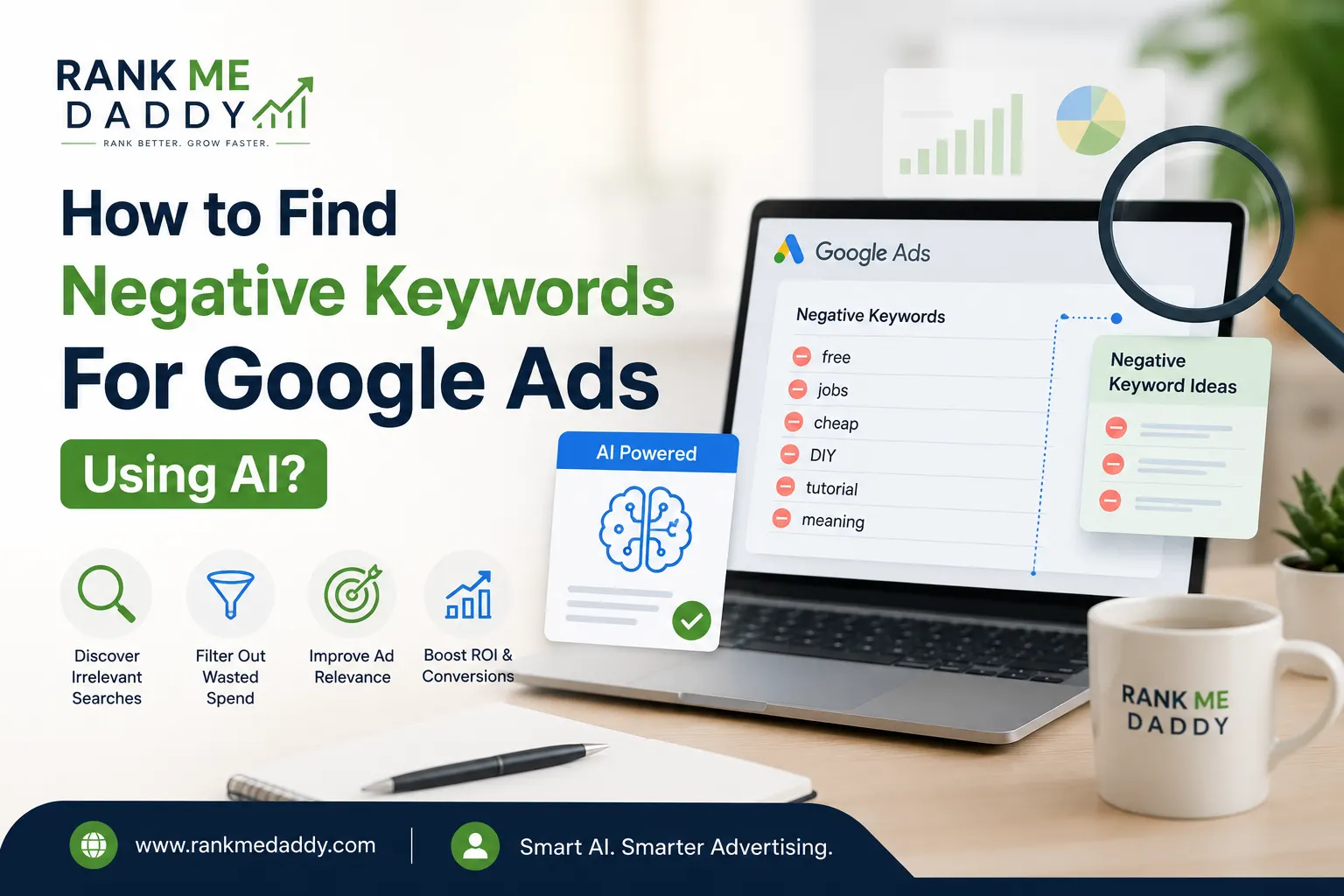
How to Find Negative Keywords For Google Ads Using AI?
Every dollar you spend on Google Ads should work hard for your business. But if your campaigns are attracting the wrong clicks, you’re essentially throwing money away and that’s more common than most advertisers realize.
Irrelevant traffic is one of the biggest silent killers of PPC performance. A campaign targeting “accounting software” might also show up for “free accounting software students” or “accounting software jobs” searches that will never convert into paying customers.
The solution? Negative keywords. And finding them smarter and faster has become significantly easier with AI.
In this guide, you’ll discover exactly how to find negative keywords for Google Ads using AI tools like ChatGPT, Claude, and dedicated PPC platforms complete with step-by-step instructions, advanced strategies, and real-world examples.
What Are Negative Keywords in Google Ads?
Negative keywords are terms you add to your Google Ads campaigns to prevent your ads from showing up in irrelevant searches.
Think of them as a filter. While your regular keywords tell Google when to show your ad, negative keywords tell Google when not to.
For example, if you sell premium running shoes, you might want to add “cheap” or “free” as negative keywords. This ensures your ad doesn’t appear when someone searches for “cheap running shoes” a searcher who is unlikely to pay premium prices.
Types of Negative Keywords
There are three match types for negative keywords:
- Negative Broad Match – Your ad won’t show if the search query contains all the negative keyword terms in any order.
- Negative Phrase Match – Your ad won’t show if the query contains the exact phrase of the negative keyword.
- Negative Exact Match – Your ad won’t show only if the query exactly matches the negative keyword term.
Each type gives you a different level of control. Understanding match types is essential before building any negative keyword strategy.
Why Do They Matter in Google Ads Performance?
Negative keywords directly impact several key performance indicators in your campaigns:
Click-Through Rate (CTR)
improves because your ads only show to relevant audiences. A higher CTR signals to Google that your ad is useful, which feeds into your Quality Score.
Quality Score
is influenced by ad relevance and expected CTR. Filtering out irrelevant impressions with negative keywords helps maintain a tight, relevant keyword set.
Cost-Per-Click (CPC)
can decrease when your Quality Score improves. Google rewards relevant ads with lower CPCs and better ad positions.
Conversion Rate
rises when unqualified traffic is eliminated. You’re not just getting more clicks you’re getting betterclicks.
Return on Ad Spend (ROAS)
improves overall because your budget is focused on people who are genuinely interested in what you offer.
In short, a well-maintained negative keyword list is one of the highest-leverage optimizations available in PPC advertising.
The Problem: Wasted Ad Spend Without Negative Keywords
Without negative keywords, Google’s broad and phrase match types can trigger your ads for dozens sometimes hundreds of irrelevant searches.
Consider this scenario: A law firm running ads for “personal injury attorney” might show up for:
- “personal injury attorney salary”
- “personal injury attorney jobs near me”
- “how to become a personal injury attorney”
- “personal injury attorney meme”
None of these searchers are potential clients. Yet each click costs money.
The Scale of the Problem
Studies consistently show that a significant portion of PPC spend is wasted on irrelevant clicks when negative keywords are not actively managed. For some industries, this waste can represent 20–40% of total ad spend.
For a business spending $5,000/month on Google Ads, that’s potentially $1,000–$2,000 lost on clicks that never had a chance of converting.
The challenge has always been finding these irrelevant terms before too much money is wasted. This is where AI changes the game entirely.
Why Use AI to Find Negative Keywords?
Traditionally, finding negative keywords meant:
- Running campaigns and reviewing Search Terms reports manually.
- Brainstorming possible irrelevant variations.
- Researching competitor terms using tools like Google Keyword Planner.
This process was time-consuming, incomplete, and entirely reactive you only discovered bad terms after spending money on them.
AI flips this process on its head. Here’s why using AI for negative keyword research is a superior strategy:
Speed at Scale
AI can analyze thousands of keyword variations in seconds. What might take a PPC analyst an entire afternoon, AI can accomplish in minutes.
Predictive Discovery
Rather than waiting for bad traffic to appear in your Search Terms report, AI can predict which terms are likely to be irrelevant based on intent analysis and semantic understanding.
Deeper Semantic Understanding
AI understands the meaning behind keywords, not just the words themselves. It can identify irrelevant intent even when the phrasing looks superficially related to your target keywords.
Continuous Learning
Modern AI tools can learn from your campaign’s historical data, identifying patterns in which search terms lead to poor performance and flagging similar terms proactively.
Consistency
Humans get tired. AI doesn’t. Regular, consistent auditing of search terms becomes automated and reliable.
Best AI Tools for Finding Negative Keywords
1. ChatGPT (OpenAI)
ChatGPT is arguably the most accessible AI tool for negative keyword research. It’s a conversational AI that excels at brainstorming, intent analysis, and generating comprehensive keyword lists.
You can use ChatGPT to:
- Generate lists of irrelevant keyword variations from a seed term.
- Identify user intent categories you want to exclude.
- Analyze your search terms report and flag poor-quality queries.
- Create industry-specific negative keyword lists from scratch.
Best For: Brainstorming, intent mapping, generating starter negative keyword lists.
2. Claude (Anthropic)
Claude is a powerful AI assistant that is particularly strong at nuanced language understanding and structured analysis. It excels at processing large bodies of text meaning you can paste in an entire Search Terms report and ask Claude to identify problematic patterns.
Claude can also help you think through your negative keyword strategy at a higher level, helping you categorize exclusions by intent type, audience type, or funnel stage.
Best For: Analyzing reports, structuring negative keyword strategies, nuanced intent analysis.
3. Google’s AI-Powered Recommendations
Google Ads itself now incorporates AI-driven recommendations that can suggest negative keywords based on your campaign performance data. While not as flexible as external AI tools, it provides suggestions grounded in your actual account data.
Best For: Quick, account-specific suggestions directly inside Google Ads.
4. Semrush and Ahrefs with AI Features
Both Semrush and Ahrefs have incorporated AI features into their keyword research tools. They can help you find low-intent and competitor-related keywords to exclude.
Best For: Competitor analysis, comprehensive keyword data, integration with broader SEO strategy.
5. Optmyzr
Optmyzr is a dedicated PPC optimization platform that uses AI to automate many campaign management tasks, including negative keyword identification. It can monitor Search Terms reports automatically and flag terms that match your exclusion criteria.
Best For: Automated, ongoing negative keyword management at scale.
6. WordStream Advisor
WordStream uses AI to analyze your campaigns and surface actionable recommendations, including negative keyword additions. It’s particularly beginner-friendly.
Best For: SMBs, beginners, straightforward campaign structures.
Step-by-Step: How to Find Negative Keywords Using AI
Now let’s get into the actual process. Here is a complete, actionable guide to finding negative keywords for your Google Ads campaigns using AI tools.
Step 1: Define Your Campaign’s Core Intent
Before you open any AI tool, get crystal clear on what your campaign is designed to do.
Ask yourself:
- What product or service am I selling?
- Who is my ideal customer?
- What action do I want users to take when they click my ad?
- What types of searchers should never see my ad?
Write these answers down. They become the foundation of your AI prompts and your overall negative keyword strategy.
Step 2: Generate a Seed Negative Keyword List Using ChatGPT or Claude
Open ChatGPT or Claude and use a structured prompt to generate your initial negative keyword list.
Example Prompt for ChatGPT:
“I’m running a Google Ads campaign for a premium accounting software product targeting small business owners. My target CPA is $50 and I’m focused on paid signups. Generate a comprehensive negative keyword list including: job-related terms, student/academic terms, free or cheap intent terms, competitor brand terms I should not rank for, informational-only queries, and any other irrelevant intent categories. Format the output as a table.”
Example Prompt for Claude:
“You are a PPC expert. I’m advertising a B2B SaaS project management tool. Analyze the following list of keywords and identify which ones signal intent that would be a poor fit for a paid subscription offer. For each irrelevant keyword, explain why it should be excluded and suggest the appropriate match type (broad, phrase, or exact) for the negative keyword.”
The more specific your prompt, the better the output. Always include your product type, target audience, and campaign goal.
Step 3: Export Your Search Terms Report
Log into Google Ads and navigate to your campaign or ad group. Go to Keywords > Search Terms and set the date range to at least 30–90 days of data.
Export this report as a CSV file. This is gold it shows you exactly what people were searching for when your ad appeared.
Key columns to keep:
- Search Term
- Impressions
- Clicks
- Conversions
- Cost
- Conversion Rate
Step 4: Feed the Search Terms Report to AI for Analysis
This is where AI truly shines. Open ChatGPT or Claude, paste in your Search Terms data (or a representative sample), and use a prompt like:
“Here is a search terms report from my Google Ads campaign for [your product]. Review each search term and categorize them as: Relevant (should stay), Irrelevant (add as negative keyword), or Uncertain (needs review). For the Irrelevant ones, suggest the correct negative match type and which level to apply it campaign or ad group. Here is the data: [paste data]”
Claude in particular handles large structured data extremely well, making it ideal for this specific task.
Step 5: Categorize Negative Keywords by Intent Type
Once you have your AI-generated list, organize the negative keywords into logical categories. This makes them easier to manage and expand over time.
Common Negative Keyword Categories:
| Category | Examples |
|---|---|
| Job/Career Intent | “jobs,” “salary,” “careers,” “hiring,” “resume” |
| Academic/Student Intent | “course,” “tutorial,” “how to learn,” “certification,” “study” |
| Free/Cheap Intent | “free,” “cheap,” “low cost,” “discount,” “trial” (if you don’t offer trials) |
| Competitor Brands | Competitor product names (if you don’t want to target them) |
| Informational Only | “what is,” “definition,” “meaning,” “vs,” “comparison” (if not relevant) |
| DIY/Manual Intent | “template,” “spreadsheet,” “manual,” “do it yourself” |
| News/Media | “news,” “review,” “Reddit,” “forum” |
| Unrelated Industries | Terms that share words with your keywords but belong to different industries |
Step 6: Validate the List Against Your Campaign Goals
Not every suggestion from AI will be correct. Review the generated list and cross-reference it against your campaign goals.
Ask for each suggested negative keyword:
- Would someone searching this term ever buy my product?
- Is this term stealing budget that should go to better-performing searches?
- Would adding this as a negative keyword accidentally block relevant traffic?
This last point is critical. AI can sometimes suggest overly broad negatives that might cut off genuinely valuable queries. Always apply human judgment before adding terms.
Step 7: Implement Negative Keywords in Google Ads
Once validated, it’s time to add them to your campaigns.
To add negative keywords in Google Ads:
- Navigate to Keywords in the left menu.
- Click on Negative Keywords.
- Choose to add at the campaign level (applies to all ad groups) or ad group level (applies to specific ad groups only).
- Enter your negative keywords with the appropriate match type using brackets
[exact], quotes"phrase", or plain text for broad match. - Save.
For large lists, use a Negative Keyword List under Shared Library. This lets you apply one master list across multiple campaigns instantly.
Step 8: Set Up Ongoing AI Monitoring
Negative keyword management is not a one-time task. New search terms appear constantly as user behavior evolves.
Set up a recurring workflow:
- Weekly or Biweekly: Export a fresh Search Terms report and run it through your AI tool.
- Monthly: Review your negative keyword lists for terms that might be too broad.
- Quarterly: Do a full audit using AI to identify new intent categories to exclude.
Tools like Optmyzr can automate this monitoring, sending you alerts when new irrelevant search terms start generating spend.
Advanced AI Strategies for Negative Keywords
Once you’ve mastered the basics, here are advanced strategies to take your negative keyword approach to the next level.
Strategy 1: Intent Mapping with AI
Go beyond simple keyword matching and use AI to map out the full spectrum of intent associated with your target keywords.
Ask Claude or ChatGPT: “For someone searching [your keyword], what are all the different reasons they might be searching? Map these by purchase intent from highest to lowest.”
This exercise often reveals entire intent categories you hadn’t considered as exclusions.
Strategy 2: Competitor and Brand Exclusion Mapping
Use AI to build a comprehensive list of competitor brand names, product names, and related terms to either exclude or specifically target.
Prompt: “List all major competitors in the [your industry] space, including their main product names, sub-brands, and common alternative spellings or abbreviations.”
This creates a starting point for your competitor exclusion list, which you can then validate against your campaign goals.
Strategy 3: Seasonal and Event-Based Negative Keywords
AI can help you anticipate seasonal search patterns that might generate irrelevant traffic.
For example, if you sell event management software, you might get irrelevant traffic around major industry events where people search “[your software type] + [event name]” looking for sessions or booths not to buy software.
Ask ChatGPT: “What seasonal events, holidays, or annual occurrences might generate search traffic related to [your keyword] that would be unlikely to convert for a B2B SaaS offer?”
Strategy 4: Cross-Campaign Negative Keyword Strategy
If you run multiple campaigns targeting different funnel stages, AI can help you create negative keyword lists that prevent campaigns from competing with each other.
For instance, a brand campaign should exclude all the generic terms your non-brand campaign targets, and vice versa. AI can help you map these exclusion zones quickly and accurately.
Strategy 5: Using AI to Analyze Quality Score Data
Ask AI to analyze your Quality Score data alongside search terms to identify patterns. Sometimes a cluster of irrelevant search terms is dragging down the relevance score of an entire ad group.
AI can connect these dots faster than manual analysis, helping you isolate and fix Quality Score issues at their root.
Strategy 6: Building Industry-Specific Negative Keyword Databases
Use AI to build a master negative keyword database specific to your industry. Run this prompt once, refine it over time, and it becomes a reusable asset.
Prompt: “Act as a PPC expert specializing in [your industry]. Create a master negative keyword list that any [industry] advertiser should consider, organized by category.”
Share this database across all your Google Ads accounts for consistent, professional-grade campaign hygiene.
Common Mistakes to Avoid
Even with AI assistance, there are common mistakes that can undermine your negative keyword efforts.
Mistake 1: Adding Negatives Without Reviewing Match Types
Adding “free” as a broad match negative is very different from adding it as exact match. Broad match negative for “free” will block any query containing the word “free” which could accidentally block “free trial signup” if that’s a valuable conversion path for you.
Always think carefully about match type before adding a negative keyword.
Mistake 2: Blindly Trusting AI Output
AI is a powerful assistant, not an infallible oracle. Always review AI-generated negative keyword lists before implementing them. One incorrectly blocked term can significantly reduce your campaign’s reach.
Mistake 3: Set-It-and-Forget-It Mentality
Negative keyword lists need ongoing maintenance. User search behavior changes, new competitors emerge, and your business evolves. Static negative keyword lists become outdated and ineffective.
Mistake 4: Not Segmenting Negatives by Campaign vs. Ad Group Level
Some negative keywords are relevant to exclude across your entire account. Others are only relevant at the ad group level. Applying everything at the campaign level can block traffic that would have been valuable for a different ad group.
Mistake 5: Ignoring Search Volume Data
Not all irrelevant terms are worth adding as negatives. If a term has very low search volume and you’ve never received a click from it, it may not be worth the management overhead. Focus your effort on terms generating actual wasted spend.
Mistake 6: Over-Exclusion
This is the mirror image of not adding enough negatives. Adding too many negative keywords particularly broad match negatives can dramatically shrink your audience and reduce overall campaign performance.
AI can sometimes be overly aggressive in its suggestions. Always sanity-check by asking: “If I exclude this, what valid searches might I also be blocking?”
Pro Tips to Maximize ROI
Tip 1: Start with High-Spend, Low-Convert Queries
When reviewing your Search Terms report with AI, prioritize terms that have generated significant spend but zero or very few conversions. These are your most immediate wins.
Tip 2: Use the “Shopping List” Prompt Technique
When using ChatGPT or Claude, think of it as a shopping list exercise. Ask it to generate negative keywords by category, one category at a time, rather than asking for everything at once. This produces more thorough and organized results.
Tip 3: Leverage Customer Persona Data
Feed AI with information about who your ideal customer is not job titles, industries, company sizes, or demographics that don’t convert for your offer. AI can then generate intent-based negatives that align with excluding these non-ideal searchers.
Tip 4: Create a Negative Keyword Expansion Calendar
Just as you schedule content creation or campaign reviews, schedule quarterly negative keyword expansion sessions using AI. Set reminders and stick to them. Consistent maintenance compounds over time into significant budget savings.
Tip 5: Test Before You Commit
Before adding a large batch of AI-suggested negatives to a live campaign, consider testing them on a lower-spend campaign or ad group first. Monitor performance for two weeks. If impressions drop significantly without any negative impact on conversions or revenue, you can roll them out more broadly.
Tip 6: Document Everything
Keep a running log of why specific negative keywords were added, when, and what data supported the decision. This documentation becomes invaluable when auditing campaigns or onboarding new team members.
Tip 7: Use AI for Negative Keyword Storytelling
One underused technique is asking AI to “tell the story” of a poorly performing search term. Who searched it? Why? What were they looking for? This narrative exercise often reveals broader patterns and related terms to exclude.
Real-World Example / Case Study
Background
A mid-sized e-commerce company selling professional photography equipment cameras, lenses, tripods, and accessories was running Google Ads with a monthly budget of $8,000. Despite strong product quality and competitive pricing, their ROAS was consistently underwhelming at around 1.8x. Industry benchmarks for their category suggested ROAS of 3–4x was achievable.
The Problem
After exporting a 90-day Search Terms report and reviewing it manually, the team noticed a wide range of irrelevant queries consuming budget but the sheer volume of data made a comprehensive review feel impossible.
The AI Approach
The PPC manager fed three months of Search Terms data into Claude with the following prompt:
“You are a PPC specialist. I’m attaching a search terms report for a professional photography equipment e-commerce store. We sell premium gear to working photographers and serious hobbyists. Our average order value is $400. Please identify all search terms that are unlikely to result in a purchase from our store, categorize them by intent type, and suggest the appropriate negative keyword match type for each.”
Claude returned a structured analysis categorizing 340 irrelevant search terms into eight categories:
- Job/Career related (82 terms): “photography jobs,” “photographer salary,” “camera repair technician,” etc.
- Student/Learning intent (67 terms): “photography course,” “how to use DSLR for beginners,” “free photography tutorial,” etc.
- Rental intent (41 terms): “camera rental,” “lens rental near me,” “photography equipment hire,” etc.
- Repair/Service intent (38 terms): “camera repair,” “lens calibration service,” “fix broken camera,” etc.
- DIY/Homemade (29 terms): “DIY camera strap,” “homemade camera bag,” “make your own lens hood,” etc.
- Free/Cheap intent (43 terms): “free camera,” “cheapest mirrorless camera,” “budget photography gear,” etc.
- Unrelated industry overlap (22 terms): Security camera terms, medical imaging terms, film/movie production terms.
- News/Review (18 terms): “camera review,” “best camera 2024 Reddit,” “photography forum.”
Implementation
The team added 280 of the 340 suggested negative keywords (discarding 60 that were too broad or potentially relevant to their audience). The implementation took about 2 hours, compared to what would have been a full day of manual review.
Results (After 60 Days)
| Metric | Before | After | Change |
|---|---|---|---|
| Monthly Ad Spend | $8,000 | $8,000 | — |
| Irrelevant Click Rate | ~31% | ~8% | ↓ 74% |
| Conversion Rate | 1.9% | 3.4% | ↑ 79% |
| Cost Per Conversion | $67 | $38 | ↓ 43% |
| ROAS | 1.8x | 3.6x | ↑ 100% |
The same budget, now far more efficiently deployed, effectively doubled the campaign’s return on ad spend purely through AI-assisted negative keyword optimization.
Conclusion
Negative keywords are one of the most impactful levers in Google Ads performance, yet they’re among the most consistently undermanaged.
AI tools like ChatGPT and Claude have fundamentally changed what’s possible in negative keyword research. What once required hours of painstaking manual work can now be accomplished in minutes, with greater depth and accuracy than most human reviewers could achieve alone.
The key takeaways from this guide are simple: Start with a clear understanding of your campaign’s intent, use AI to generate and analyze negative keyword lists at scale, implement them systematically by match type and level, and build a regular cadence of review and refinement.
Whether you’re a seasoned PPC professional managing enterprise accounts or a small business owner running your first Google Ads campaign, AI-powered negative keyword strategy is no longer a nice-to-have it’s a competitive necessity.
Start with the step-by-step process outlined in this guide, run your first AI prompt today, and watch what happens to your ROAS over the next 30–60 days. The results might just surprise you.
Frequently Asked Questions (FAQs)
Q1. Can AI completely replace manual keyword research?
Not entirely at least not yet. AI is an exceptional assistant that dramatically accelerates and improves keyword research, but human judgment remains essential.
AI may miss business-specific nuances, suggest overly broad exclusions, or misunderstand context that a knowledgeable advertiser would catch immediately. Think of AI as a highly capable analyst who does the heavy lifting while you provide strategic direction and final approval.
Q2. How often should I update negative keywords in Google Ads?
For most campaigns, reviewing and updating negative keywords every 2–4 weeks is a solid cadence. High-spend campaigns or campaigns in competitive, fast-moving industries may benefit from weekly reviews.
At minimum, perform a comprehensive negative keyword audit every quarter. Use AI to make these reviews faster and more thorough than manual analysis alone would allow.
Q3. What are the different match types for negative keywords?
Google Ads offers three negative keyword match types:
- Negative Broad Match (default): Prevents your ad from showing when all negative keyword terms appear in a search query in any order.
- Negative Phrase Match (add quotes: “keyword”): Prevents your ad from showing when the exact phrase appears in the search query.
- Negative Exact Match (add brackets: [keyword]): Prevents your ad from showing only when the search query exactly matches the keyword.
Note that negative keyword match types work differently from regular keyword match types. There is no negative broad match modifier.
Q4. Can adding too many negative keywords hurt my campaign?
Yes. Over-exclusion is a real risk. Adding too many negative keywords especially broad match negatives can shrink your audience significantly, reduce your campaign’s reach, and potentially block valuable traffic.
Always audit your negative keyword list periodically to ensure you’re not accidentally cutting off good traffic. Watch for drops in impressions or conversion volume that might signal over-restriction.
Q5. What is the difference between negative and regular keywords?
Regular (positive) keywords tell Google when to show your ad they define the searches you want to appear for. Negative keywords tell Google when not to show your ad they define the searches you want to be excluded from.
Together, they define the precise audience for your ads. A well-balanced combination of targeted positive keywords and carefully curated negative keywords produces the most efficient and effective Google Ads campaigns.
Q6. Can AI identify search intent for negative keywords?
Yes and this is one of AI’s greatest strengths in this context. AI tools like Claude and ChatGPT are trained on vast amounts of language data, giving them strong intuitions about why people search for specific terms.
You can ask AI to classify search intent across multiple dimensions: informational, transactional, navigational, and commercial investigation. This intent mapping is invaluable for identifying which search terms are likely to never convert and should therefore be added as negative keywords.
Q7. Do negative keywords affect Quality Score?
Negative keywords do not directly influence Quality Score. However, they have an indirect positive effect. By filtering out irrelevant searches, your ads achieve a higher click-through rate (CTR) and better ad relevance scores both of which are key Quality Score components.
A well-optimized negative keyword list contributes to a tighter, more relevant keyword set, which in turn supports a higher Quality Score and lower CPCs over time.
Q8. Is it better to use broad or exact match for negative keywords?
It depends on your goals and risk tolerance.
Broad match negatives provide the widest protection, blocking any query containing those terms. They’re best for clearly irrelevant terms like “free” or “jobs” where no variation would be relevant to your campaign.
Exact match negatives provide the most surgical precision, only blocking queries that exactly match the term. They’re best when you want to exclude a specific query while still allowing related queries to trigger your ads.
As a general rule, start with exact match negatives when you’re uncertain, and graduate to phrase or broad match only when you’re confident the exclusion is safe at a wider level.
Q9. Can beginners use AI tools for negative keyword research?
Absolutely and in many ways, AI makes negative keyword research more accessible to beginners than ever before.
Tools like ChatGPT are free to use and require no technical expertise. Simply describe your business, your campaign, and your target customer, and ask the AI to generate a starter negative keyword list. The output won’t be perfect, but it provides an excellent starting point that would have taken a beginner hours to produce manually.
As your PPC knowledge grows, your prompts will become more sophisticated and your AI-assisted results will improve accordingly.
Ready to cut wasted ad spend and boost your Google Ads ROI? Start by running your Search Terms report through an AI tool today your next 30 days of campaign performance may look dramatically different.
