 +91 73584 98220
 info@rankmedaddy.com
 Rajasthan, India

Introduction: Why Keywords in URLs Are Still Debated
Does putting keywords in URLs still help your ranking? It’s a question that experts have argued about for years. Some say it’s old news, while others believe it still has huge significance.
When you see a link on the SERPs, you usually want to know what’s inside before you click. This is why the importance of a clear web address shouldn’t be ignored.
We all want to know how to beat the competition and stay ahead. But since search engines now focus more on great content, the way we use keywords is changing.
Is this a smart SEO move or just a habit from the past? Let’s look at why this small detail still causes such a big stir today.
Table of Contents
- What Is a URL in SEO Terms?
- How Search Engines Read and Use URLs?
- Do Keywords in URLs Still Impact SEO Rankings?
- What Google Says About Keywords in URLs?
- Best Practices for Using Keywords in URLs
- Common URL SEO Mistakes to Avoid
- When Keywords in URLs Matter Most?
- Dynamic URLs vs Static URLs: SEO Impact
- Case Studies: Real-World URL Success and Failure
- URL Optimization Checklist for SEO Success
- Conclusion: Finding the Right Balance
- Frequently Asked Questions
- Q1. What is the future of URLs in a "Zero-Click" world?
- Q2. Does URL readability matter for mobile SEO?
- Q3. What are the best tools to analyze my URLs?
- Q4. How should I handle keywords in international URLs?
- Q5. Do keywords in URLs help with Local SEO?
- Q6. Is there a connection between URLs and Featured Snippets?
- Q7. Should I treat blog links differently than e-commerce links?
What Is a URL in SEO Terms?
A URL is the web address you see in your browser, like www.example.com/page. Just like a house address, it tells people and search engines where to find your content on the internet.
In the world of SEO, this address does more than just point the way. It gives a small hint about what the page is actually about before the user even clicks.
When you look at the SERPs, a clean and clear link often looks more trustworthy. This is why many people still see the significance of a well-written web address.
Learning how to create these links correctly is a basic but vital step. It helps search engines organize your site and can help your overall ranking over time.
How Search Engines Read and Use URLs?
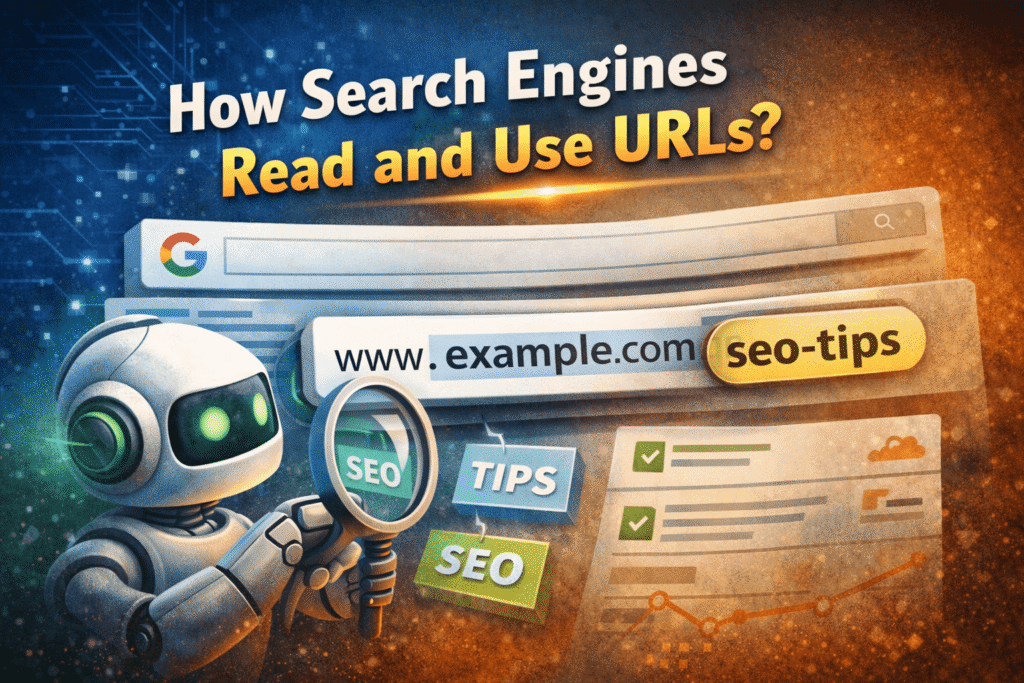
Search engines like Google use bots to scan your web address for clues. They look at the words in your URL to quickly understand the topic of your page.
This process helps search engines understand the context of your page, but it does not determine topical authority or rankings by itself. It is one of the first things a bot sees when it explores your site for SEO purposes.
While it is not the only factor for ranking, a clear link has its own significance. It makes it easier for the system to show your page to the right people on the SERPs.
When you know how to keep your links simple, you help the search engine do its job. This is the main importance of having a link that humans and bots can both read easily.
Do Keywords in URLs Still Impact SEO Rankings?
The short answer is yes, but not as much as they used to. In the early days of SEO, stuffing words into a link was a fast way to get a high ranking.
Today, search engines are much smarter and focus more on the quality of your content. However, having a relevant keyword in your URL still has some significance.
It acts as a small “relevancy signal” for the SERPs. When a user sees the word they searched for in the link, they are more likely to click because it looks helpful.
While you shouldn’t expect a huge jump in results, knowing how to use keywords properly is still a smart move. It is a minor factor that helps your overall site importance.
Most readers miss this (don’t be one of them)
What Google Says About Keywords in URLs?
Google has shared that the importance of keywords in a web address is actually quite small. John Mueller, a top expert at Google, has stated that they are a very minor ranking factor.
He explains that while Google does scan the URL, it mainly uses the words to understand what the content is about. It is not something that will skyrocket your site to the top of the SERPs on its own.
The real significance of a good link is for the user experience. Google prefers links that are easy for humans to read and use, rather than links stuffed with repetitive words for SEO reasons.
If you want to know how to follow their advice, keep your links short and descriptive. You can find more details on Google’s official Search Central documentation regarding site structure.
Best Practices for Using Keywords in URLs
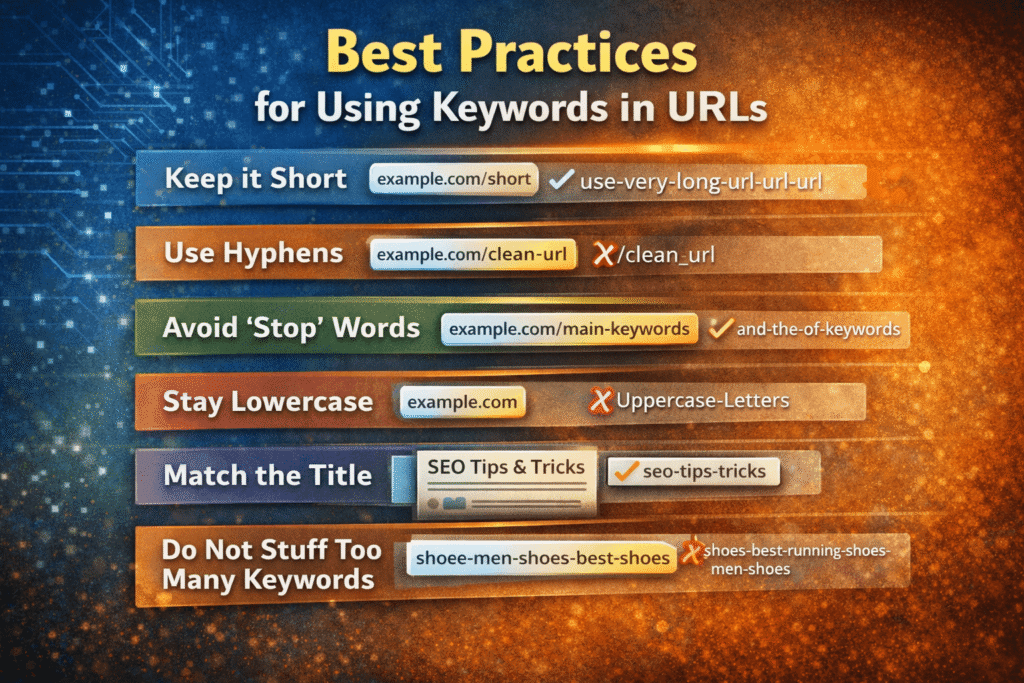
To get the most out of your SEO, you need to know how to keep your links clean and professional. It is not about tricking the system, but about making things clear for everyone.
Following these simple steps will help the significance of your links and make your content easier to find. Here are the best ways to use keywords in a web address:
- Keep it Short: Long links are hard to read. Aim for 3 to 5 words to stay focused on your main ranking goal.
- Use Hyphens: Always use dashes (-) to separate words. Search engines read these better than underscores (_) or no spaces at all.
- Avoid “Stop” Words: Remove small words like “and,” “the,” or “of.” This keeps the importance on your main keywords.
- Stay Lowercase: Always use small letters. Mixing in capital letters can confuse some servers and lead to broken links.
- Match the Title: Your URL should look like a simpler version of your headline so users on the SERPs know what to expect.
- Do Not Stuff Too Many Keywords: Avoid stuffing multiple keywords just for SEO or Ranking.
- Use Lowercase Letters: URLs are case-sensitive sometimes. Lowercase is safer and cleaner.
Common URL SEO Mistakes to Avoid
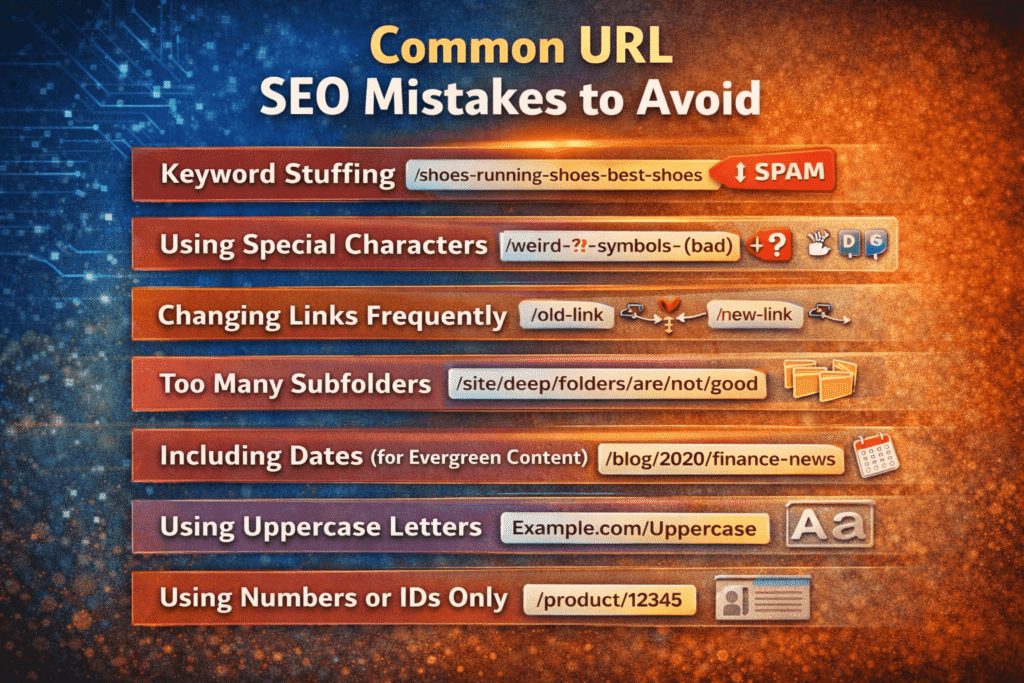
Even with the best content, small errors in your web address can hurt your ranking. Avoiding these common traps is vital for maintaining your site’s importance.
When you know how to spot these mistakes, you can ensure your site stays healthy. Here are the most common errors people make with SEO links:
- Keyword Stuffing: Don’t repeat the same word multiple times. It looks like spam to the SERPs and confuses your readers.
- Using Special Characters: Avoid using symbols like question marks or brackets. They make a URL messy and harder for search engines to use.
- Changing Links Frequently: If you change a link without a redirect, you lose your traffic. This has a major negative significance on your growth.
- Too Many Subfolders: Don’t bury your page behind too many categories. A link that is too deep is harder for bots to crawl.
- Including Dates (for Evergreen Content): Avoid years or months in URLs unless freshness is part of your content strategy, such as news, finance, or trend-based topics.
- Using Uppercase Letters: URLs with capital letters can cause problems. Always use lowercase.
- Repeating The Same Keyword Many Times: Like /shoes-running-shoes-best-shoes. It looks bad and hurts trust.
- Using Numbers or IDs Only: Like /product/12345. These give no clue about the page topic.
When Keywords in URLs Matter Most?
While they aren’t a magic trick for ranking, there are specific times when a keyword-rich URL has high significance. One of the best examples is when your link is shared without any text.
If someone copies your link and pastes it into a chat or an email, the address becomes the “anchor text.” In this case, the importance of having a clear keyword is that people know what they are clicking.
It also matters most for “user intent” on the SERPs. When a person sees exactly what they searched for inside the web address, it builds instant trust in your content.
Knowing how to use these terms correctly helps your site look professional. It makes your SEO efforts feel more organized and proves to the reader that your page is relevant to their needs.
Dynamic URLs vs Static URLs: SEO Impact
Dynamic URLs use parameters like ?id=123, while static ones are clean like /seo-guide.
A static URL stays the same and usually contains words that are easy to read. A dynamic one is often full of random numbers and symbols, which has a negative significance for your readers.
From an SEO perspective, static links are much better for ranking. They allow you to use keywords that tell search engines exactly what the content is about at a glance.
The importance of choosing static over dynamic is all about clarity. Dynamic URLs are crawlable by modern search engines, but static URLs are preferred because they improve readability, trust, and click-through rates.
If you want to know how to improve your site, always aim for permanent, descriptive addresses. This small change makes your pages easier to share and much easier for search engines to understand.
Case Studies: Real-World URL Success and Failure
Many site owners have seen the significance of a URL change firsthand. For example, the SEO giant Moz once moved over 100,000 community pages. By carefully planning how to redirect each link, they managed to protect their long-term ranking.
Similarly, SupportHost switched their entire domain using 301 redirects. Because they followed the right technical steps, their traffic held steady. They proved that the importance of a smooth transition is what keeps you visible on the SERPs.
Mangools had a different experience when they migrated their SERPChecker tool to their main domain. Despite following proper redirect protocols and seeing their average position improve by 1.44 spots, their organic traffic dropped by 27% and remained low for months. They eventually reversed the migration entirely, proving that even technically correct URL changes can sometimes have unexpected negative consequences.
On the other hand, some sites have seen traffic drops of 20% or more after a bad move. This shows the importance of not changing your address unless it is truly necessary for your content strategy.
Small businesses often recover faster from these changes, but large sites must be very careful. These real-world cases prove that while keywords matter, keeping your links stable is a key part of SEO.
These cases highlight that while the words in your address matter, the way you manage those links is even more vital. Keeping your content accessible during a move is the ultimate smart move for any website.
URL Optimization Checklist for SEO Success
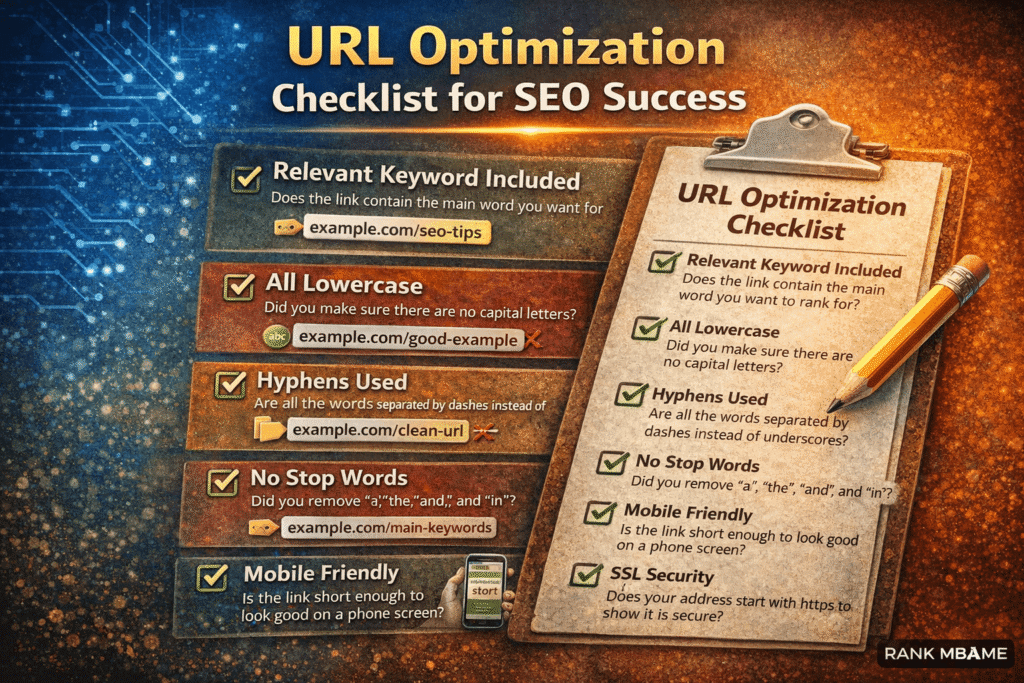
Before you hit “publish,” it is helpful to have a quick list to ensure your link is perfect. Following a simple checklist ensures the significance of your URL isn’t wasted and that your content has the best chance of ranking.
Knowing how to audit your links can save you from big headaches on the SERPs later. Here is your final checklist for SEO success:
- [ ] Relevant Keyword Included: Does the link contain the main word you want to rank for?
- [ ] All Lowercase: Did you make sure there are no capital letters?
- [ ] Hyphens Used: Are all the words separated by dashes instead of underscores?
- [ ] No Stop Words: Did you remove “a,” “the,” “and,” and “in”?
- [ ] Mobile Friendly: Is the link short enough to look good on a phone screen?
- [ ] SSL Security: Does your address start with https to show it is secure?
- [ ] Logical Path: Does the address show a clear path (e.g., site.com/blog/topic)?
Conclusion: Finding the Right Balance
So, do keywords in your web address still matter? While they won’t make or break your ranking on their own, they are still a valuable part of the SEO puzzle. Their real significance lies in making your site look professional and trustworthy to anyone searching the SERPs.
The most important thing to remember is that you should use keywords to help your readers, not just to please an algorithm. A clean, simple, and honest link is always better than one that is stuffed with too many words.
As you focus on creating high-quality content, keep your links short and steady. Knowing how to structure your addresses correctly is a small detail that shows the overall importance you place on a great user experience.
By following the best practices we’ve covered, you can stop worrying about the debate and start building a site that search engines—and real people—will love.
Before you leave, read this 👇
Frequently Asked Questions
Q1. What is the future of URLs in a “Zero-Click” world?
As more people get answers directly on the SERPs without clicking a link, the significance of a clear address grows. A well-structured link builds trust and can be the reason a user finally decides to click through to your content for more detail.
Q2. Does URL readability matter for mobile SEO?
Yes. On smaller screens, long or messy links are often cut off. The importance of short, descriptive addresses is higher for mobile users because it helps them see exactly where they are going before they tap.
Q3. What are the best tools to analyze my URLs?
You can use free tools like Google Search Console to see how your links are performing. For deeper audits, tools like Ahrefs, Semrush, or Screaming Frog are great for finding broken links or addresses that need better ranking potential.
Q4. How should I handle keywords in international URLs?
If your site is multilingual, it is best to use the local language in the link. This helps with local ranking because it matches what users in that country are searching for, making your content feel more relevant to them.
Q5. Do keywords in URLs help with Local SEO?
They can. Including your city or service area in the address helps search engines understand your location. It adds significance to your page when local customers search for businesses “near me.”
Q6. Is there a connection between URLs and Featured Snippets?
While a keyword in the address won’t guarantee a “position zero” spot, a clear and logical URL structure helps Google understand the hierarchy of your page. This makes it easier for the bot to pull your content into a snippet.
Q7. Should I treat blog links differently than e-commerce links?
Blog links should be very descriptive and focused on the topic. For e-commerce, the importance is on the product name and category. Keep e-commerce links clean (e.g., /shoes/blue-sneakers) so they remain easy to navigate as your shop grows.

Leave a Reply