 +91 73584 98220
 info@rankmedaddy.com
 Rajasthan, India

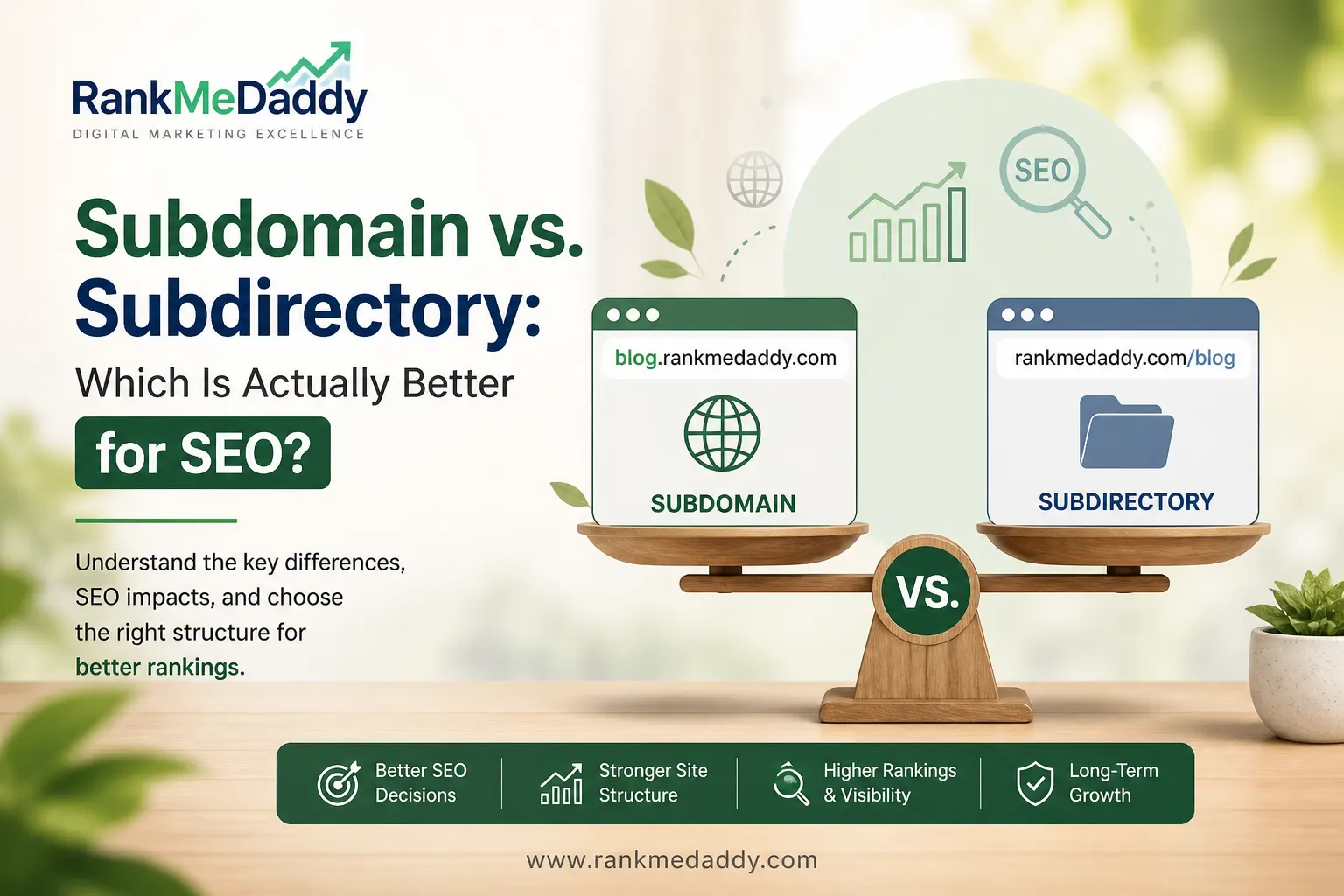
TABLE OF CONTENTS
- What Is a Subdomain vs. Subdirectory?
- The Core SEO Question
- What Does Google Say?
- Real-World Case Studies
- Head-to-Head SEO Comparison
- When to Use a Subdomain
- When to Use a Subdirectory
- Technical SEO Considerations
- International SEO
- RankMeDaddy Decision Framework
- Migration Guide
- How Major Brands Structure URLs
- The Verdict
- FAQs
- Final Thoughts
Subdomain vs. Subdirectory: Which Is Actually Better for SEO?
if you’re building a blog for your e-commerce site, or you want to add a knowledge base, a job board, or a regional version of your website. You type out the URL and then stop. Do you go with blog.yoursite.co.uk or yoursite.co.uk/blog?
It looks like a minor technical detail. It is, in fact, one of the most consequential structural decisions you can make for your website’s long-term SEO performance. Get it wrong and you could spend months building a content strategy only to find you’ve been inadvertently cannibalising your own domain authority or worse, building it in entirely the wrong place.
This guide from RankMeDaddy breaks down everything you need to know about subdomains vs. subdirectories for SEO. We’ll cover the technical differences, what Google actually says, real-world data, and a clear decision framework tailored for UK businesses.
Let’s get into it.
What Is a Subdomain? What Is a Subdirectory?
Before we talk about SEO impact, let’s get crystal clear on what we’re actually discussing because a surprising number of website owners conflate the two.
Subdomain
A subdomain is a prefix added to your root domain, separated by a dot. It sits to the left of your primary domain name. Think of it as a branch off the main trunk of your web address.
SUBDOMAIN EXAMPLE
- blog.yoursite.co.uk
- The “blog” is the subdomain prefix. Search engines may treat this as a separate website from yoursite.co.uk.
MORE SUBDOMAIN EXAMPLES
- shop.brand.co.uk
- support.brand.co.uk
- careers.brand.co.uk
- Each acts as its own entity in Google’s eyes.
Subdirectory (Subfolder)
A subdirectory sometimes called a subfolder is a path added after the root domain, separated by a forward slash. It sits to the right of your domain name and is part of the same website.
SUBDIRECTORY EXAMPLE
- yoursite.co.uk/blog
- The “/blog” is the subdirectory. Search engines treat this as part of yoursite.co.uk directly.
MORE SUBDIRECTORY EXAMPLES
- brand.co.uk/shop
- brand.co.uk/support
- brand.co.uk/careers
- All content shares the root domain’s authority.
The world’s most famous subdomain is www. Technically, yoursite.co.uk and www.yoursite.co.uk are the same thing only because most servers and CMS platforms are configured to treat them identically. Not all subdomains are handled this way automatically.
The Core SEO Question: How Does Google See Them Differently?
Here’s the crux of the entire debate: Google may treat a subdomain as a completely separate website from your root domain. A subdirectory, by contrast, is inherently considered part of your main site.
This distinction has enormous downstream effects on everything from link equity and domain authority to crawl budget, indexation speed and how quickly your new content can begin ranking.
Domain Authority and Link Equity
Years of SEO practice have established a fairly consistent principle: your root domain accumulates authority through backlinks, brand mentions, social signals and user behaviour metrics. This authority is often called Domain Authority (DA) a metric popularised by Moz or Domain Rating (DR) in Ahrefs.
When you publish content in a subdirectory, that content automatically benefits from whatever authority your root domain has built up. A page at yoursite.co.uk/blog/seo-tips essentially borrows credibility from yoursite.co.uk.
When you publish content on a subdomain,, it may need to build its own authority from scratch. A page at blog.yoursite.co.uk/seo-tipsdoes not automatically inherit the full weight of your root domain’s backlink profile.
The word “may” is doing a lot of heavy lifting in this explanation and we’ll unpack why shortly.
Crawl Budget Implications
Crawl budget refers to the number of pages Googlebot will crawl on your site within a given time period. For smaller sites, this is rarely a concern. For large enterprise sites with hundreds of thousands of pages, it becomes critical.
If you use subdomains, Google may allocate a separate crawl budget to each one. This means that instead of Googlebot focusing all its attention on one domain, its efforts are diluted across multiple entities. For growing UK businesses investing in content marketing, this can slow down indexation considerably.
Internal Linking Behaviour
Links between pages on the same domain (internal links) pass different signals than links between different domains (external or cross-domain links). When you link from your main site to a subdomain, some SEOs argue Google may treat this more like an external link meaning the link equity flowing between the two may be reduced compared to linking between subdirectory pages.
A site structured around subdirectories allows all internal linking to function at maximum efficiency, with link equity distributed fluidly across the entire website.
What Does Google Actually Say About Subdomain vs. Subdirectory?
This is where things get genuinely interesting because Google’s official position has evolved over the years, and their spokespeople haven’t always been fully consistent.
“In general, we try to figure out what belongs together on a website. And the geotargeting is something we try to figure out automatically, based on the content and the links. So from our point of view, subdomains and subdirectories are almost the same.”
John Mueller, Google Search Advocate, Google Webmaster Central, Hangout
On the surface, this sounds like a green light. Mueller says “almost the same” so why do SEOs still prefer subdirectories?
Because the word “almost” carries a lot of weight. And because even if Google tries to treat them similarly, the reality of how the algorithm handles authority consolidation, crawling and indexation tells a different story in practice.
Mueller’s More Nuanced Comments
In a Reddit AMA and various Twitter exchanges over the years, Mueller has made additional comments that paint a fuller picture:
- He has confirmed that subdirectories are easier for Google to associate with a single site.
- He has acknowledged that subdomains can sometimes confuse Googleabout site structure, especially on larger sites.
- He has noted that switching from a subdomain to a subdirectory has helped some sites and made no difference for others suggesting context and site-specific factors matter enormously.
- He has stated explicitly: “If you have the choice, putting things in subdirectories is slightly cleaner from our point of view.”
✅ GOOGLE’S OWN GUIDANCE
Google’s Search Central documentation recommends using subdirectories for content that is part of the same site. Subdomains are specifically recommended for content that represents a significantly different service or product or requires separate hosting and infrastructure.
The bottom line from Google themselves: if you’re in doubt, go with a subdirectory. It’s not just SEO opinion it’s what the people who build the algorithm suggest.
Real-World Case Studies: What the Data Shows
Theoretical arguments are useful. Real-world migrations are definitive. Let’s look at some well-documented instances where companies moved content from subdomains to subdirectories and what happened to their organic search performance.
CASE STUDY 01
HubSpot: From blog.hubspot.com to hubspot.com/blog
HubSpot is one of the most frequently cited examples in the subdomain vs. subdirectory debate. For years, they ran their blog on a subdomain. After migrating to a subdirectory structure, they tracked results closely.
The outcome? A significant increase in organic traffic with some reports indicating gains of up to 30% in the months following the migration. Their blog content was now consolidating authority with the main domain, allowing existing pages to rank more competitively for target keywords.
Result: ~30% organic traffic increase post-migration
CASE STUDY 02
Wealthfront: Subdomain to Subdirectory Switch
Wealthfront, a US fintech firm, documented their migration from a subdomain-hosted blog to a subdirectory structure. They found that content which had been competing poorly despite high quality began to rank far more effectively once it was placed under the root domain.
This is a common experience: excellent content can underperform not because of content quality issues, but because it’s publishing on an entity (the subdomain) that lacks the trust signals the root domain has earned.
Result: Significant improvement in SERP positions for previously stagnant pages
CASE STUDY 03
UK E-Commerce Brand (RankMeDaddy Client)
A mid-sized UK e-commerce client approached RankMeDaddy after their blog sitting on a subdomain had produced 80+ pieces of well-optimised content with minimal organic growth over 14 months. After migrating to a subdirectory structure with full 301 redirects, the results were pronounced.
Within six weeks of the migration, organic impressions increased by 44%. By month three, the blog was driving approximately 2,800 new organic sessions per month up from an average of 490.
Result: 44% impressions increase within 6 weeks; 5.7x traffic growth by month 3
Subdomain vs. Subdirectory: Head-to-Head SEO Comparison
Let’s put the two options side by side across the metrics that matter most to SEO performance.
| SEO Factor | Subdomain | Subdirectory | Winner |
| Domain Authority Inheritance | Separate entity must build its own | Inherits root domain authority | Subdirectory |
| Link Equity (Internal) | Cross-domain links may be diluted | Full internal link equity | Subdirectory |
| Crawl Budget | Separate crawl budget allocation | Shared more efficient | Subdirectory |
| Google Search Console | Needs separate property setup | Single property covers all | Subdirectory |
| Sitemaps | Typically requires separate sitemap | Unified sitemap | Subdirectory |
| Analytics Tracking | Complex cross-domain tracking needed | Simple same property | Subdirectory |
| Technical Flexibility | Different server, CMS, tech stack | Constrained to main site’s setup | Subdomain |
| Team Autonomy | Separate teams can work independently | May require coordination | Subdomain |
| International SEO (hreflang) | Can work, but adds complexity | Can work, but adds complexity | Draw (depends on strategy) |
| Branding Clarity | Signals distinctness to users | Signals unified brand | Context dependent |
The verdict is fairly consistent: for pure SEO performance, subdirectories win on almost every metric. The only areas where subdomains have a legitimate advantage relate to technical and operational flexibility which matter a great deal in certain contexts.
When to Use a Subdomain (And When It Makes Sense)?
Despite the clear SEO preference for subdirectories, there are legitimate use cases for subdomains. The key is understanding whether the content or service you’re deploying is truly a separate entity or just a section of your existing website.
Legitimate Use Cases for Subdomains
USE A SUBDOMAIN WHEN…
- Running a completely separate SaaS application (e.g., app.yourtool.co.uk)
- Operating a staging or development environment (staging.yoursite.co.uk)
- Offering a service in a radically different language with its own content strategy
- Running a distinct product brand that shares infrastructure
- Operating an API endpoint or developer portal (developers.yoursite.co.uk)
- Serving a separate audience with entirely different needs
- Operating a mobile-specific site (though this is largely obsolete with responsive design)
✗ DON’T USE A SUBDOMAIN FOR…
- Your company blog or content marketing section
- A FAQ or knowledge base for your main product
- A shop or e-commerce section of a service business
- A careers or jobs section
- A resource library or guides section
- A news or press section
- Any content that should benefit from your brand’s SEO authority
⚠️ THE BLOG TRAP
The most common and most costly mistake we see UK businesses make is hosting their content marketing blog on a subdomain (often because it’s the default CMS setting). Months of content investment goes into building a separate, authority-starved entity instead of enriching the main domain. If this is you, migrate. We’ll show you how below.
The SaaS Special Case
SaaS companies often have a genuine dilemma. Their marketing site (the one that explains what their product does and drives signups) needs SEO authority. Their product application (where users log in and do things) is a separate technical environment entirely.
In this case, the conventional approach is:
- Marketing site: yourproduct.com (root domain)
- Product/app: app.yourproduct.com (subdomain)
- Blog/content: yourproduct.com/blog (subdirectory)
- Documentation: docs.yourproduct.com or yourproduct.com/docs
This hybrid approach is sensible. The app subdomain is technically necessary. But the blog should always live in a subdirectory so your content investment directly builds the marketing site’s authority.
When to Use a Subdirectory (The Default Choice for Most UK Businesses)?
For the vast majority of UK businesses whether you’re an SME, a growing startup, an e-commerce retailer, or an agency a subdirectory structure is the correct default. Here’s why.
Every Piece of Content Builds Your Brand Domain
When you publish a blog post at yoursite.co.uk/blog/how-to-do-x, every backlink that post earns, every social share, every branded search it generates all of that strengthens yoursite.co.uk. Your commercial pages (your service pages, your product pages) benefit indirectly. The rising tide lifts all boats.
Google Search Console Is Far Simpler
For UK business owners who aren’t full-time SEOs, managing Google Search Console is already a learning curve. Using subdirectories means all your performance data impressions, clicks, average position appears in a single property. Compare that to managing multiple separate properties for each subdomain, trying to piece together a coherent picture of your site’s overall organic health.
You Don’t Need to Start From Zero
If your main domain has been around for five years and has accumulated 200 referring domains, a new subdirectory page immediately gets to leverage that history. A new subdomain page starts with zero trust even if it’s on the same brand. For competitive UK search markets in industries like law, finance, property or insurance, starting from zero in your niche is a significant handicap.
KEY TAKEAWAY
Use a subdirectory unless you have a genuinely compelling technical or business reason not to. For 90% of UK businesses, subdirectory is the right answer and for those already using a subdomain for content, migration is almost always worth the effort.
Technical SEO Considerations: What to Know Before You Decide
301 Redirects During Migration
If you’re currently using a subdomain for content and want to switch to a subdirectory, you’ll need to implement 301 permanent redirects from each old URL to its new counterpart. This tells Google (and users) that the page has permanently moved, preserving the link equity that the old page had accumulated.
Key migration best practices for UK developers:
- Map every existing subdomain URL to its new subdirectory equivalent before touching anything
- Implement 301 redirects at the server level (not via JavaScript or meta refresh)
- Update your XML sitemap immediately and resubmit via Google Search Console
- Update your internal links across the main site to point directly to the new URLs
- Monitor crawl errors in Search Console in the weeks following migration
- Keep the old subdomain live with redirects for at least 12 months
CMS Hosting Constraints
One legitimate reason teams opt for subdomains is hosting constraints. If your main site runs on Webflow, Squarespace, or a custom platform, and you want to run your blog on WordPress, you may find it easier to deploy the blog on a subdomain than to configure the subdirectory to serve from a different server.
this is increasingly solvable. Options include:
- Reverse proxying route requests for /blog to a WordPress server, while serving the main site from Webflow. Requires server configuration but preserves subdirectory URLs.
- Headless CMS setups decouple your content management from your front end so everything can be served from the same domain.
- Moving your whole stack sometimes the cleanest solution is migrating the main site to WordPress or another unified platform.
GSC Property Setup
A note on Google Search Console: if you use a subdomain, you must verify it as a separate property. You can add it as a domain property or URL prefix property. This isn’t a technical barrier, but it does create operational friction you’ll need to maintain separate sitemaps, monitor separate performance reports and potentially set up separate filters in Google Analytics.
Robots.txt and Crawl Directives
Each subdomain requires its own robots.txt file. Subdirectories use the root domain’s robots.txt. If you’re using subdomains for staging environments, make very sure that disallow: / is set in the staging subdomain’s robots.txt otherwise you risk Google indexing your test environment.
International SEO and Subdomain vs. Subdirectory for UK Businesses
International SEO adds another layer to this debate. If you’re a UK business expanding internationally say, adding a French, German or Australian version of your site you have three main URL structure options:
- Country-code Top-Level Domain (ccTLD) e.g., yoursite.fr, yoursite.de
- Subdomain e.g., fr.yoursite.co.uk, de.yoursite.co.uk
- Subdirectory e.g., yoursite.co.uk/fr, yoursite.co.uk/de
Google supports all three options for international SEO via hreflangimplementation., there are practical differences:
| Approach | Geotargeting Signal | Authority | Setup Complexity |
| ccTLD | Strongest | Separate domains, starts fresh | High multiple domains to manage |
| Subdomain | Moderate (configurable in GSC) | May be treated separately | Medium |
| Subdirectory | Moderate (configurable in GSC) | Full domain authority shared | Low single domain |
For most UK businesses entering new markets, the subdirectory approach is the most practical starting point. It consolidates authority, is simpler to manage, and still allows full hreflang implementation. ccTLDs are the gold standard for pure geotargeting signal but require building authority from scratch in each market a significant investment for SMEs.
The RankMeDaddy Decision Framework: Which Should You Choose?
Right, let’s make this practical. Answer these questions to determine the right structure for your specific situation.
Question 1: Is the content part of the same brand experience?
If a user visiting your main site would logically expect to also find this content there yes, it’s part of the same experience. Use a subdirectory.
Question 2: Does this section need a completely different technology stack?
If you cannot feasibly serve it from the same server or CMS as your main site and reverse proxying isn’t an option a subdomain may be necessary. But explore technical solutions first.
Question 3: Is this a separate product with its own brand identity?
If you’re running what is functionally a different business under the same corporate umbrella, a subdomain (or even a separate domain) may be appropriate.
Question 4: Do you want the SEO value to compound on your root domain?
If yes and the answer should almost always be yes use a subdirectory.
RECOMMENDED FOR MOST
Use a Subdirectory
- Company blog / content hub
- Knowledge base or help centre
- E-commerce shop within a service brand
- News or PR section
- Careers / jobs section
- Case studies or portfolio
- Resource library
- International language versions
- Industry guides or tools
Consider a Subdomain
- Web application / SaaS product
- Developer portal or API docs
- Staging / test environment
- A separately branded product
- Community / forum platform
- Large-scale franchise or partner sites
- Totally distinct audience segment
- User-generated content platform
How to Migrate From a Subdomain to a Subdirectory (Without Losing Rankings)?
If you’ve read this far and realised your blog or content hub is sitting on a subdomain, don’t panic. Migrations are manageable but they require careful planning. Here’s a concise migration playbook.
Step 1: Full URL Audit
Export every URL from your subdomain. Tools like Screaming Frog, Ahrefs Site Audit or Semrush’s site crawler can generate a comprehensive list. You need a complete map of every page that will move.
Step 2: Plan the New URL Structure
Decide on your new subdirectory structure and map every old URL to its new equivalent. Where possible, keep the slug the same (e.g., blog.site.co.uk/seo-tips → site.co.uk/blog/seo-tips). Avoid changing slugs during migration unless absolutely necessary.
Step 3: Set Up Content at New URLs
Before implementing redirects, publish all content at the new subdirectory URLs. Make sure canonical tags point to the new URLs and that the new URLs are included in your XML sitemap.
Step 4: Implement 301 Redirects
Implement server-side 301 redirects from every old subdomain URL to its new subdirectory counterpart. Test every redirect. Use a tool like Redirect Path (browser extension) or Screaming Frog to verify each one resolves correctly.
Step 5: Update Internal Links
Go through your main site and update all internal links to point directly to the new subdirectory URLs. Don’t rely on redirects for internal links they add latency and dilute efficiency.
Step 6: Update GSC and Sitemaps
Submit the new sitemap in Google Search Console. Use the URL Inspection tool to request indexing for your most important new URLs. Monitor the old subdomain property for crawl errors and watch the new subdirectory performance for the following 90 days.
TIMELINE EXPECTATIONS
Most migrations see initial fluctuation in rankings within the first 2–4 weeks as Google re-processes the changes. Recovery and improvement typically becomes clear within 6–12 weeks for well-executed migrations. Do not migrate in the run-up to key trading periods (e.g., Christmas for e-commerce).
How Major Brands Structure Their URLs (And What You Can Learn)?
Looking at how established brands structure their URLs is instructive though remember that large enterprises often have the resources to make subdomains work through sheer volume of authority. The lessons for SMEs are not always directly transferable.
Brands That Use Subdirectories for Content
- Shopify shopify.com/blog and shopify.com/enterprise: All content under the root domain, contributing to one of the most authoritative e-commerce domains online.
- Moz moz.com/blog and moz.com/learn: The SEO brand practices what it preaches, keeping all resources and editorial content in subdirectories.
- Backlinko backlinko.com/hub: Brian Dean’s content hub model is built entirely within subdirectories, which helped Backlinko achieve extraordinary organic visibility with relatively few pages.
- Gov.uk The UK government’s flagship digital property uses deep subdirectory structures across all departments, keeping authority unified under a single domain.
Brands That Use Subdomains (With Good Reason)
- Google mail.google.com, docs.google.com, maps.google.com: These are separate applications, not content sections. Subdomains make technical sense here.
- Salesforce help.salesforce.com: Their customer support platform runs on entirely separate infrastructure and serves a distinct user journey.
- WordPress.com User blogs at username.wordpress.com: Each user blog is a separate entity this is the correct use of subdomains at scale.
The pattern is clear: brands that use subdomains for content sections tend to be those with enormous existing authority that can afford to divide it or those with genuine technical reasons for the separation. For UK businesses building authority in competitive niches, replicating this approach without the underlying authority is a recipe for slow, frustrating results.
The Verdict: Subdomain vs. Subdirectory for SEO
Subdirectory Wins for SEO Almost Every Time
For UK businesses focused on maximising organic search performance, subdirectories are the clear, consistent recommendation from both SEO best practice and Google’s own guidance. Use subdomains only when there is a genuine technical or business justification.
Here’s the full picture in summary:
- Subdirectories consolidate authority. Every page you publish strengthens your root domain’s position across all target keywords.
- Subdomains split authority. You’re potentially building two separate entities instead of one powerful one.
- Google prefers subdirectories. Their own engineers have said it subdirectories are “slightly cleaner” and easier to associate with a single site.
- Migrations work. If you’re currently on a subdomain for content, a well-executed 301 redirect migration will almost certainly improve your organic performance over time.
- Context matters. Subdomains are legitimate for separate applications, different products, or staging environments but not for content that should benefit from your brand’s SEO investment.
Frequently Asked Questions
Q1. Is a subdomain or subdirectory better for SEO?
In the vast majority of cases, a subdirectory is better for SEO. Subdirectories are considered part of the root domain by Google, meaning content published there benefits from the root domain’s accumulated authority, backlinks and trust signals. Subdomains may be treated as separate sites, requiring authority to be built independently which can significantly slow down ranking progress for new content.
Q2. Does Google treat subdomains as separate websites?
Google’s John Mueller has confirmed that Google generally treats subdomains as separate entities from the root domain. While Google says it “tries” to associate subdomains with their parent domains in some contexts, the practical reality is that subdomains often need to build their own authority independently. This is why subdirectories are consistently preferred by SEO professionals for content that should benefit from the main domain’s ranking power.
Q3. Can I migrate from a subdomain to a subdirectory without losing rankings?
Yes, you can migrate safely with proper planning. The key steps are: audit all existing URLs, map each to a new subdirectory equivalent, publish content at the new URLs, implement 301 permanent redirects from old to new, update internal links, and resubmit your sitemap in Google Search Console. Most well-executed migrations result in improved performance within 6–12 weeks. Short-term fluctuation is normal; don’t be alarmed by temporary ranking changes in the first 2–4 weeks.
Q4. When should I use a subdomain instead of a subdirectory?
Use a subdomain when you are deploying a technically separate product or application (e.g., a SaaS web app), a staging or development environment, a platform that must run on entirely different infrastructure, or a product with a genuinely distinct brand identity and audience. Subdomains are also used for international versions of sites, though subdirectories can be equally effective for this purpose with less complexity.
Q5. Does subdomain vs. subdirectory affect page speed or Core Web Vitals?
Indirectly, yes. If a subdomain is hosted on different infrastructure from your root domain, it may have different performance characteristics., the more significant impact is on DNS resolution when a user visits a subdomain, an additional DNS lookup may be required, which can add latency. Subdirectories on the same server avoid this additional lookup. For UK users on mobile connections especially, minimising additional network round-trips can contribute to better real-world performance scores.
Q6. What about using a subdomain for an international version of my site?
Both subdomains and subdirectories are supported by Google for international SEO when combined with hreflang annotations., subdirectories for international content share the root domain’s authority across all regional versions, whereas subdomains may need to build authority independently per region. For UK businesses entering new international markets with limited link building resources, subdirectories (e.g., yoursite.co.uk/fr) are generally the more efficient choice.
Q7. How long does it take to see results after migrating to a subdirectory?
Based on our experience at RankMeDaddy, most migrations begin to show measurable improvement within 6–12 weeks of implementation. The speed depends on how quickly Googlebot recrawls the redirected URLs, how established the old subdomain’s authority was, and how efficiently the migration was executed. Impression data in Google Search Console often improves before click-through rate and traffic metrics, so use GSC as your primary leading indicator in the first weeks post-migration.
Final Thoughts
The debate between subdomains and subdirectories has rumbled through SEO forums, conference panels and agency strategy sessions for well over a decade. And despite the occasional nuance from Google’s spokespeople, the evidence consistently points in one direction.
For UK businesses that want their content investment to pay dividends in organic search that want every blog post, every guide, every product page to compound in value over time the subdirectory is the right structural choice.
It’s simpler to manage. It consolidates your authority. It’s what Google’s own team recommends when you ask them directly. And the real-world migration data from global brands like HubSpot to our own UK clients shows that moving from a subdomain to a subdirectory is one of the highest-ROI technical SEO changes you can make.
The only reason to deviate is a genuine technical or business necessity not habit, not the default setting of your CMS, and not because it seemed easier at the time.
If you’re unsure where your site currently stands, or if you want help planning and executing a subdomain-to-subdirectory migration, the team at RankMeDaddy are here to help. We work with UK businesses of all sizes to structure their websites for maximum organic performance and we’d love to take a look at yours.
READY TO IMPROVE YOUR SITE STRUCTURE?
Book a free SEO audit with RankMeDaddy. We’ll assess your current URL structure, identify technical SEO issues, and give you a prioritised roadmap no jargon, no obligation. Get your free audit →
Free SEO Audit
Find out if your URL structure is costing you rankings. Get a free audit from our UK team.
CLAIM MY FREE AUDIT FROM RANK ME DADDY
- 87% of sites that migrated from subdomain to subdirectory saw organic traffic improve within 90 days (Ahrefs internal study)
- +30% average organic traffic increase reported by HubSpot after their subdomain-to-subdirectory migration
- 5.7x traffic growth achieved by a RankMeDaddy UK e-commerce client within 3 months of migrating their blog
RankMeDaddy is the UK’s trusted SEO resource. Cutting through the noise with evidence-backed advice, real case studies and actionable strategies for businesses that want to rank.
